> For the complete documentation index, see [llms.txt](https://docs.ineom-tsel.mit.id/llms.txt). Markdown versions of documentation pages are available by appending `.md` to page URLs; this page is available as [Markdown](https://docs.ineom-tsel.mit.id/hero/application-configuration.md).

# Application Configuration

Proses application configuration:

{% tabs %}
{% tab title="Android Version" %}

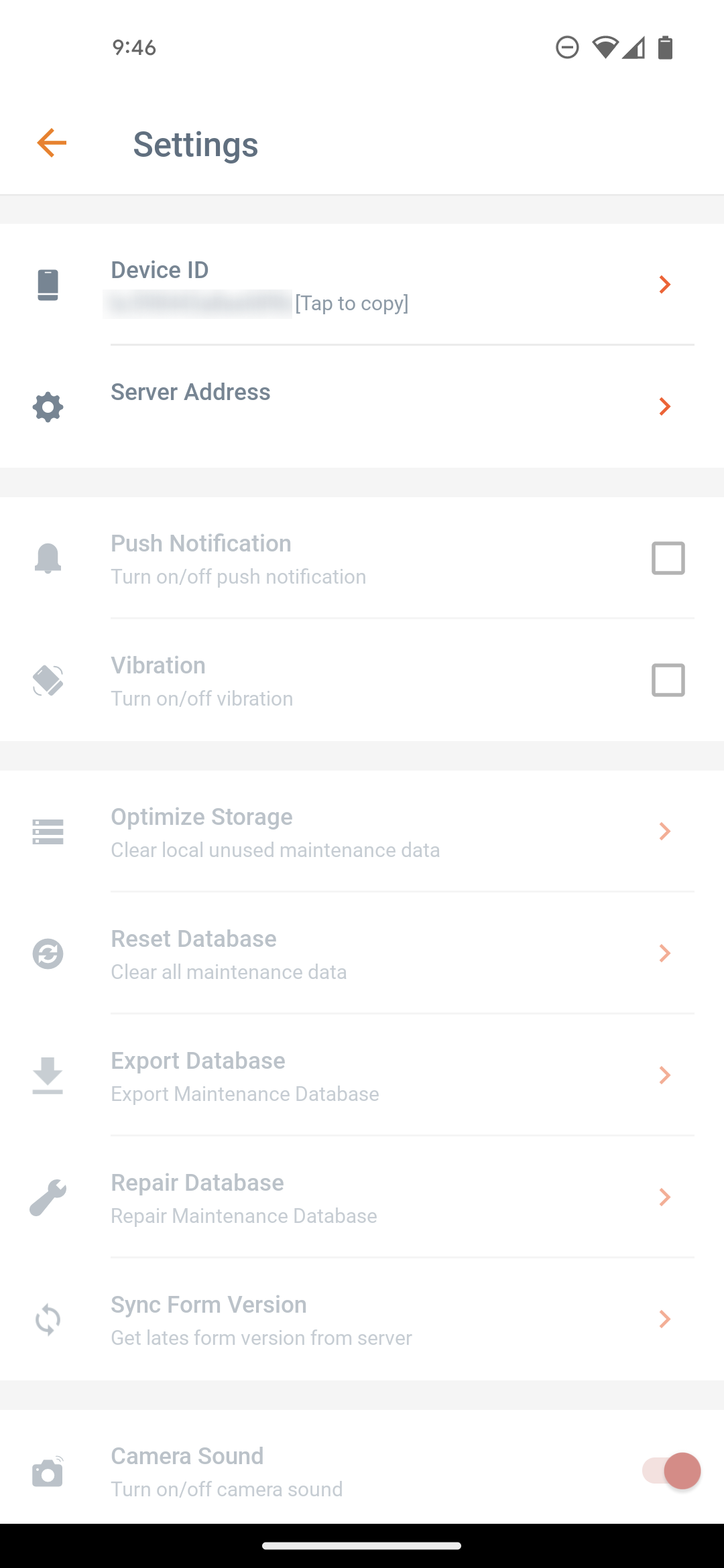
1. Klik ikon ⚙️.
2. Klik menu **`Server Address`**.
3. Ubah alamat server menjadi `ineom.mit.id`.
4. Klik tombol **`OK`**.

<div><figure><img src="/files/oUehWZwxpLdB4tAYBohq" alt=""><figcaption></figcaption></figure> <figure><img src="/files/uMCoiWFOxqciXVo6tcB0" alt=""><figcaption></figcaption></figure> <figure><img src="/files/7g2t3FJwZNXq8XA5B8vW" alt=""><figcaption></figcaption></figure> <figure><img src="/files/Br4KQQZZaVoSfrR4KJiE" alt=""><figcaption></figcaption></figure></div>
{% endtab %}

{% tab title="iOS Version" %}

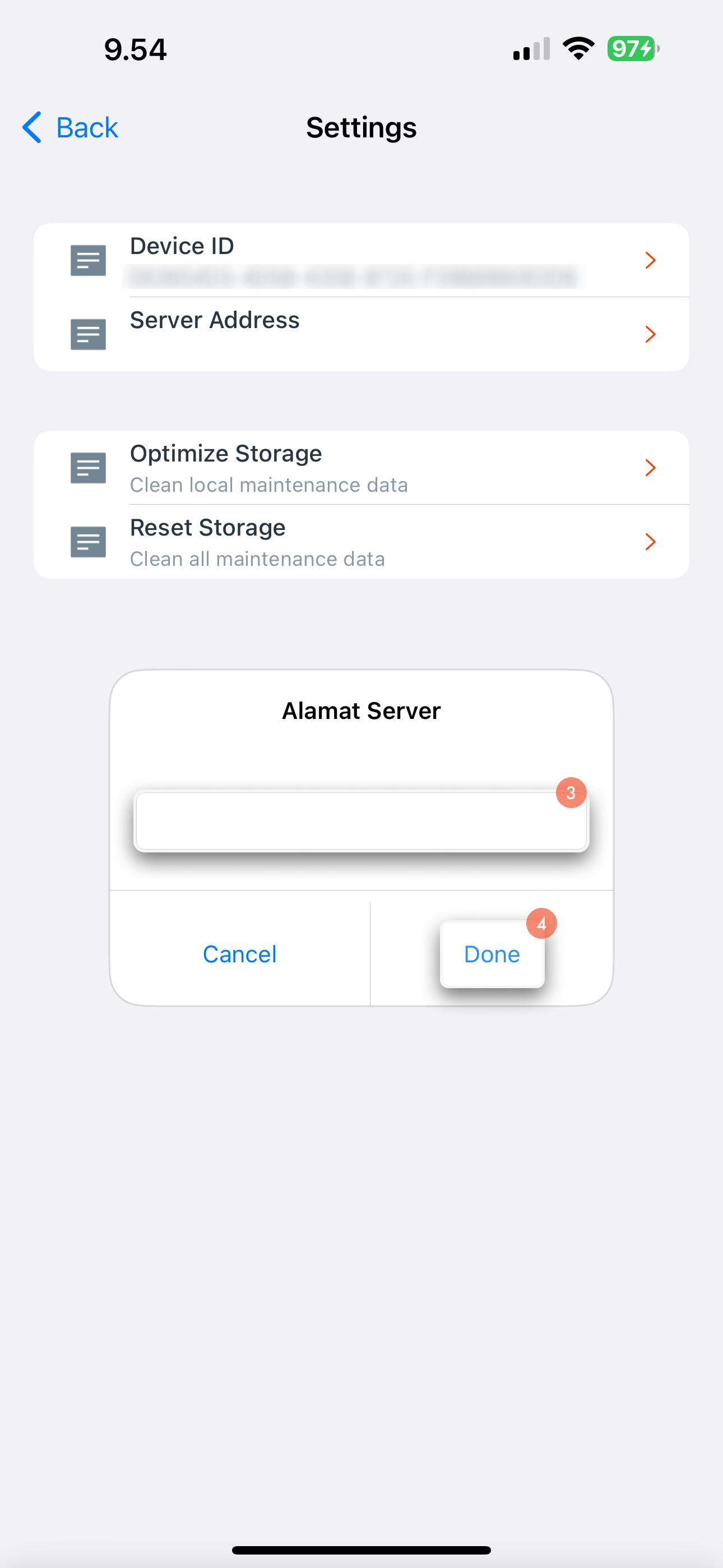
1. Klik ikon ⚙️.
2. Klik menu **`Server Address`**.
3. Ubah alamat server menjadi `ineom.mit.id`.
4. Klik tombol **`Done`**.

<div><figure><img src="/files/TS0c7DUV96YtrvOTTB50" alt=""><figcaption></figcaption></figure> <figure><img src="/files/F1cOlCWqu1MlRxlvEIqw" alt=""><figcaption></figcaption></figure> <figure><img src="/files/Nw4H4ttFUPuGo50WctQ1" alt=""><figcaption></figcaption></figure> <figure><img src="/files/uOaFzy4Mm8cv0GFUKLLL" alt=""><figcaption></figcaption></figure></div>
{% endtab %}
{% endtabs %}