# Generate DO

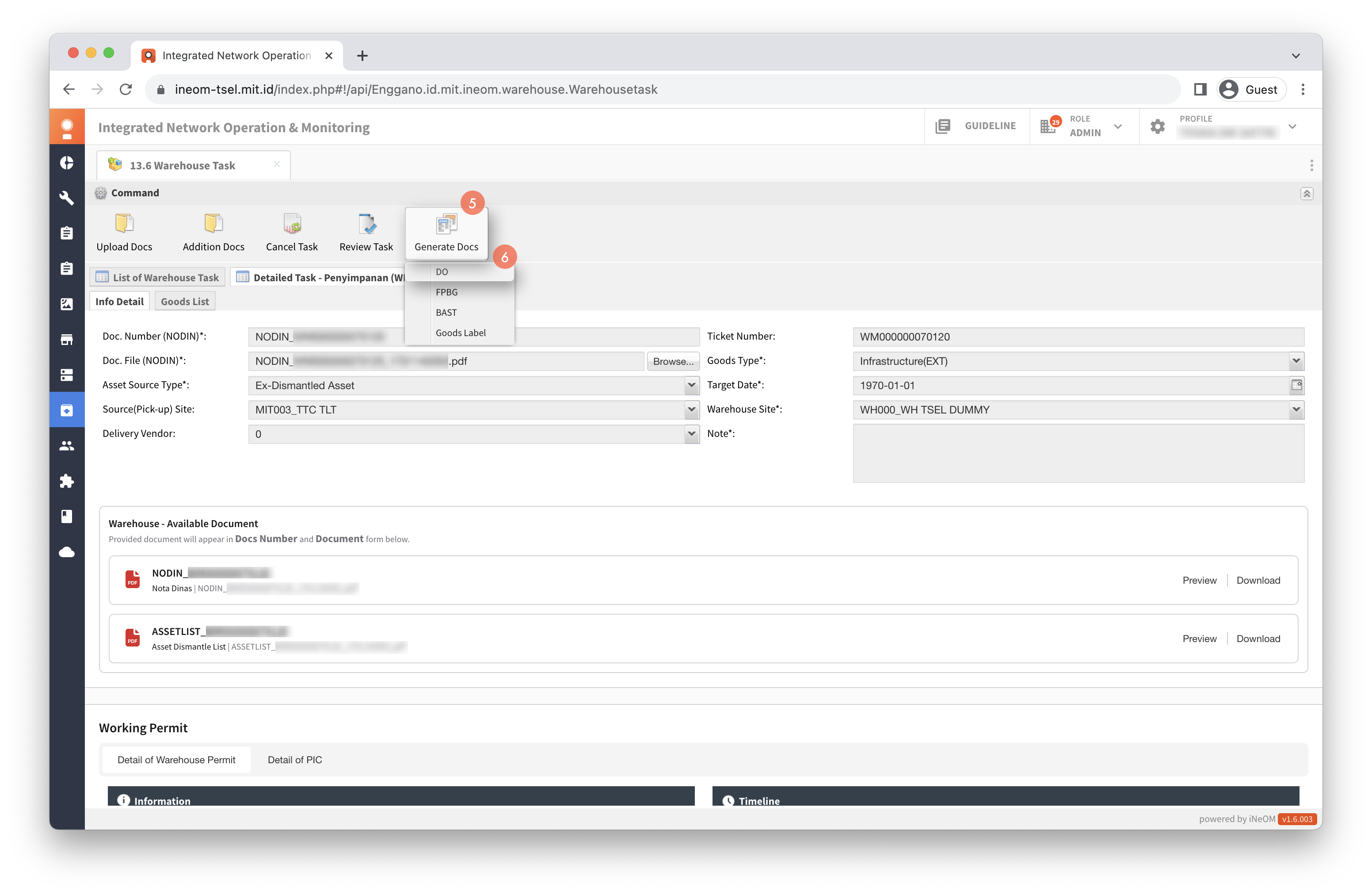
Klik menu `13.6 Warehouse Task` (eWonder Features).

{% hint style="warning" %}
Generate DO dilakukan pada tiket dengan status **In Progress**.
{% endhint %}

<figure><img src="/files/ho19BKQSG6QV8xesW8Dr" alt=""><figcaption></figcaption></figure>

Cari ticket number

Klik tiket.

Klik `Detail`.

Klik `Generate Docs`.

Klik `DO`.

<div><figure><img src="/files/wLaxEXn5yeGDc0HxYqs7" alt=""><figcaption></figcaption></figure> <figure><img src="/files/gsLJBA04UfAhj5mpQz3v" alt=""><figcaption></figcaption></figure> <figure><img src="/files/m1dvlkxmRUzPbgJajAci" alt=""><figcaption></figcaption></figure></div>

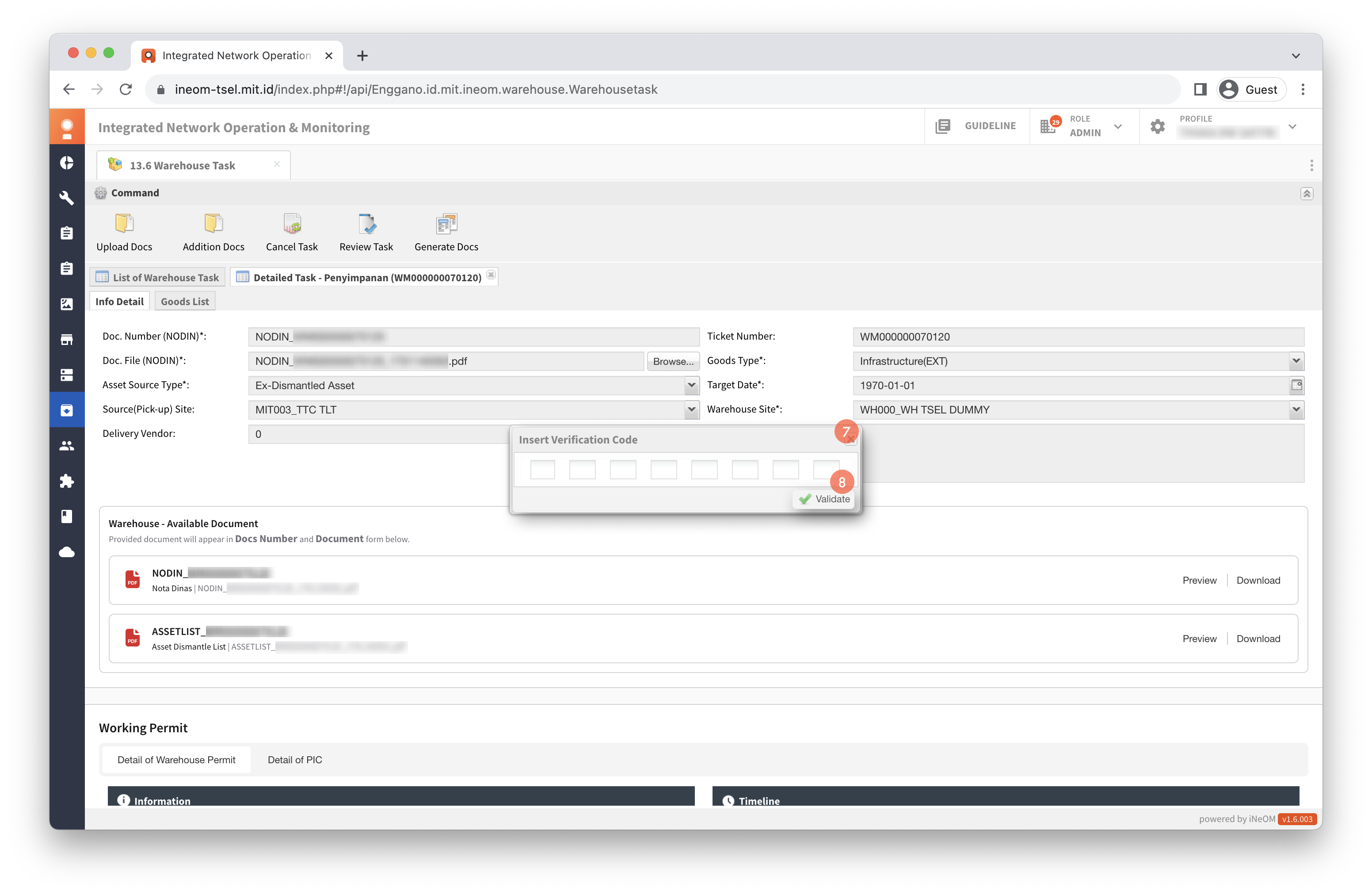
{% hint style="info" %}

* Apabila user yang melakukan generate DO berbeda dengan user yang melakukan create ticket, maka perlu melakukan tahap pengisian verifikasi kode.
* Untuk mendapatkan kode verifikasi, user dapat menghubungi user creator.
  {% endhint %}

Isi catatan.

Klik checkbox pada daftar asset.

Klik `Submit`.

<div><figure><img src="/files/b0InunS9IY83fTNN4aHG" alt=""><figcaption></figcaption></figure> <figure><img src="/files/ENCYyk7wfup8iNLn65BC" alt=""><figcaption></figcaption></figure></div>


---

# Agent Instructions: Querying This Documentation

If you need additional information that is not directly available in this page, you can query the documentation dynamically by asking a question.

Perform an HTTP GET request on the current page URL with the `ask` query parameter:

```
GET https://docs.ineom-tsel.mit.id/ewonder/warehouse-task/asset-storing/generate-do.md?ask=<question>
```

The question should be specific, self-contained, and written in natural language.
The response will contain a direct answer to the question and relevant excerpts and sources from the documentation.

Use this mechanism when the answer is not explicitly present in the current page, you need clarification or additional context, or you want to retrieve related documentation sections.