> For the complete documentation index, see [llms.txt](https://docs.ineom-tsel.mit.id/llms.txt). Markdown versions of documentation pages are available by appending `.md` to page URLs; this page is available as [Markdown](https://docs.ineom-tsel.mit.id/esp/working-permit-by-vendor/working-permit-request.md).
# Working Permit Request
{% hint style="warning" %}
Proses working permit request dilakukan pada tiket dengan status Waiting Physical Activity to Finish.
{% endhint %}
Proses working permit vendor:
1. Klik menu eSP (Electronic Smart Permit) pada side bar.
2. Klik menu 3.1 Work Order.
3. Cari ticket number.
4. Klik tiket.
5. Klik **`Working Permit`**.
6. Klik **`Yes`**.
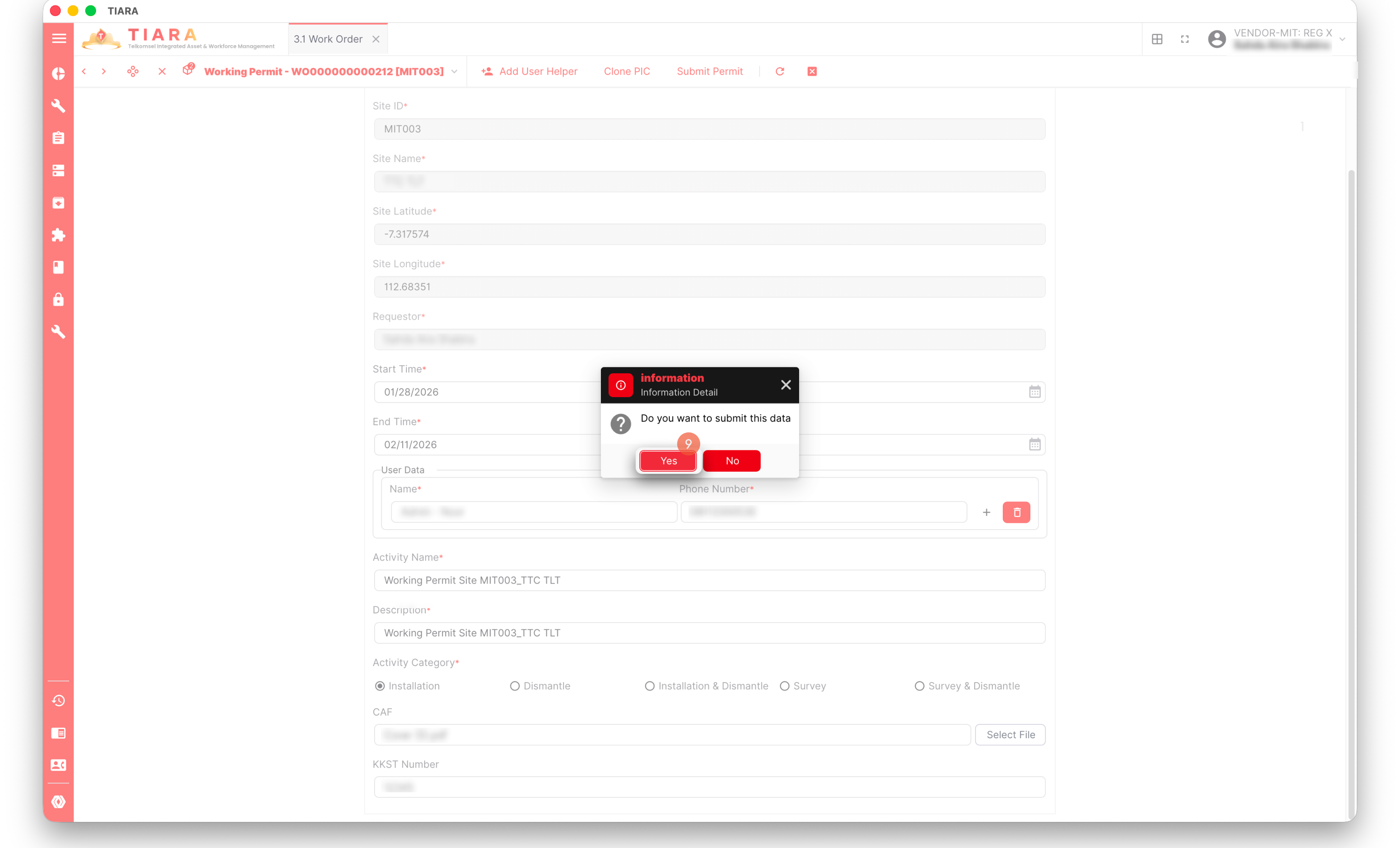
6. Isi data working permit request.
7. Klik **`Submit Permit`**.
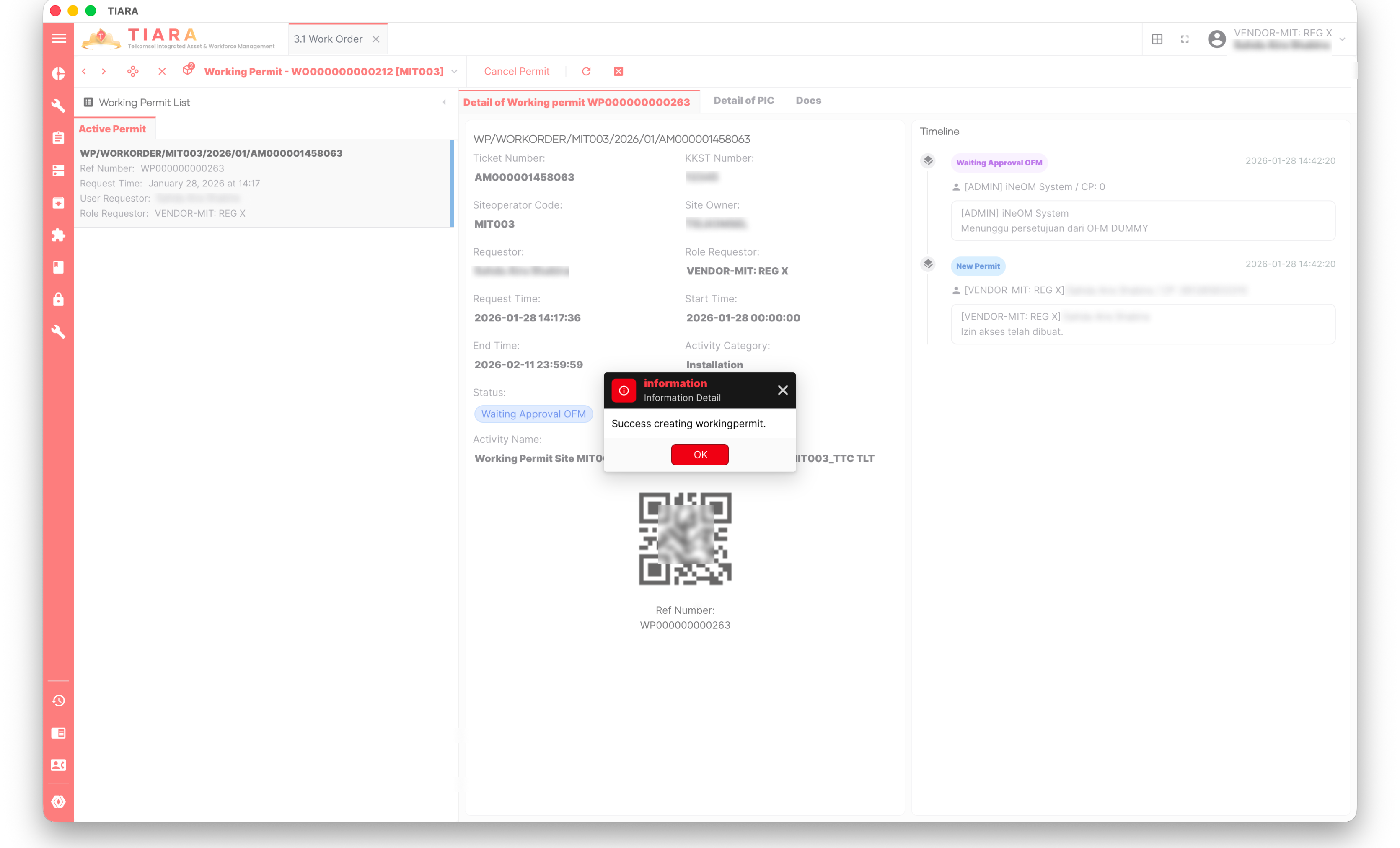
8. Klik **`Yes`**.
{% hint style="success" %}
Proses working permit request apabila sistem berhasil melakukan generate dokumen BA, dan status permit menjadi Waiting Approval OFM.
{% endhint %}
.png?alt=media&token=ed54a700-0609-496c-bb65-3a397e041714)
.png?alt=media&token=d6314934-6088-445a-99a0-78f5912a6ff2)
.png?alt=media&token=1f0e5a5e-ed92-4ccc-9357-4ae648c8fb78)
.png?alt=media&token=2925d4ac-8741-4381-9314-5760b39fdbb6)