> For the complete documentation index, see [llms.txt](https://docs.ineom-tsel.mit.id/llms.txt). Markdown versions of documentation pages are available by appending `.md` to page URLs; this page is available as [Markdown](https://docs.ineom-tsel.mit.id/epro/toti-reconciliation/approval-by-nos.md).
# Approval by NOS
{% hint style="info" %}
Proses approval oleh NOS dilakukan pada tiket dengan status Waiting NOS Approval.
{% endhint %}
{% tabs %}
{% tab title="Approve" %}
Proses approve:
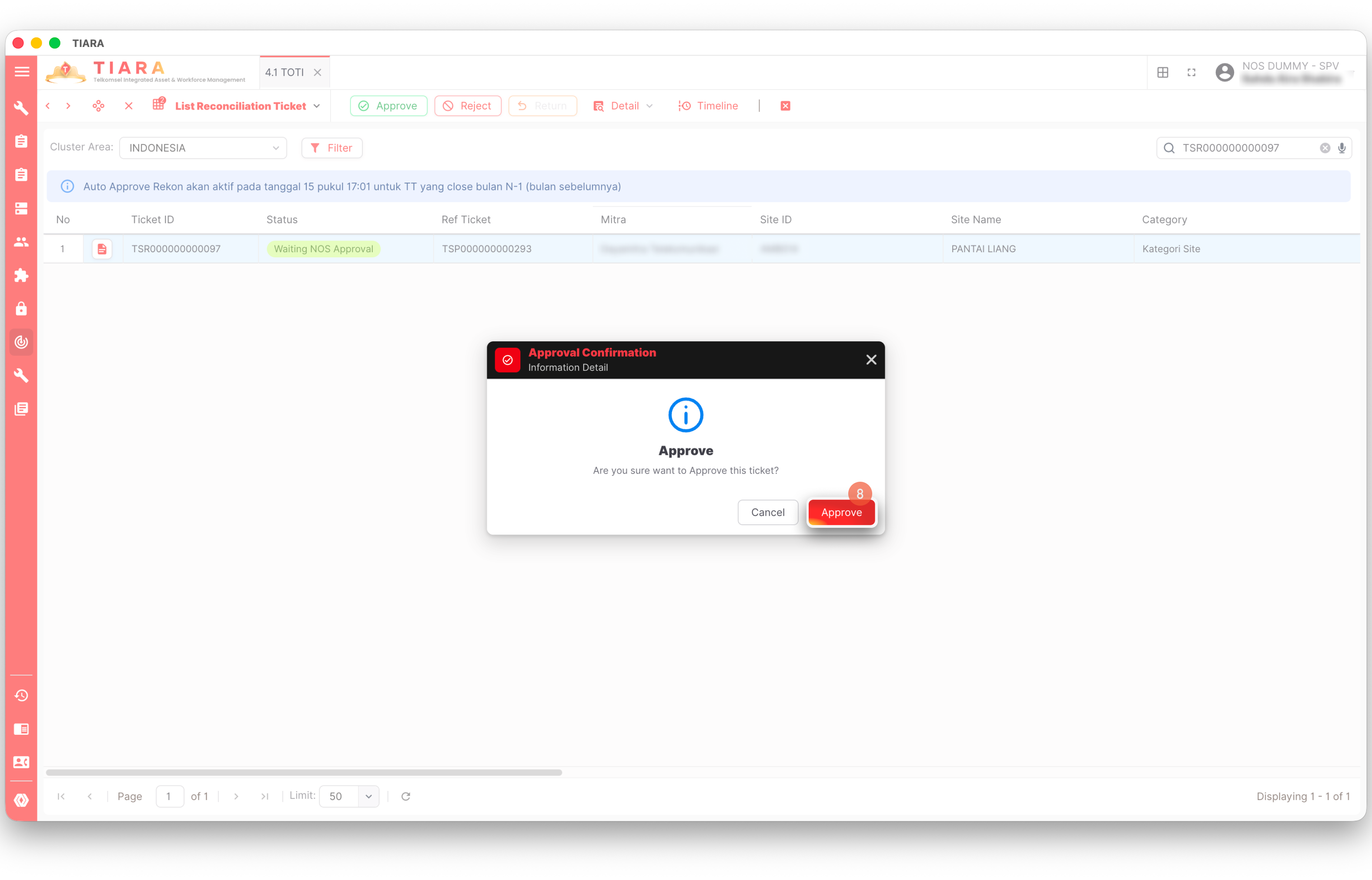
1. Klik menu ePRO (Electronic Tower Provider Reporting & Operations) pada side bar.
2. Klik menu 4.2 TOTI Reconciliation.
3. Pilih Cluster Area: Indonesia.
4. Klik **`TOTI Reconciliation`**.
5. Cari ticket number.
6. Klik tiket.
7. Klik **`Approve`**.
8. Klik **`Approve`**.
{% endtab %}
{% tab title="Reject" %}
Proses reject:
1. Klik menu ePR (Electronic Tower Provider Reporting & Operations) pada side bar.
2. Klik menu 4.2 TOTI Reconciliation.
3. Pilih Cluster Area: Indonesia.
4. Klik **`TOTI Reconciliation`**.
5. Cari ticket number.
6. Klik tiket.
7. Klik **`Reject`**.
8. Isi catatan dengan alasan melakukan reject.
9. Klik **`Reject`**.
{% endtab %}
{% endtabs %}
{% hint style="success" %}
Proses approve oleh NOS berhasil apabila status tiket menjadi **Closed.** Apabila dilakukan reject maka status tiket menjadi **Waiting Resubmission by TP.**
{% endhint %}