> For the complete documentation index, see [llms.txt](https://docs.ineom-tsel.mit.id/llms.txt). Markdown versions of documentation pages are available by appending `.md` to page URLs; this page is available as [Markdown](https://docs.ineom-tsel.mit.id/eatp/asset-trade-in/site-regular-non-ttc/check-out-ticket-atp.md).

# Check Out Ticket ATP

{% hint style="info" %}
Check out ticket ATP dilakukan setelah proses pengerjaan tiket AM asset trade in telah selesai (status: **Submitted**).

Proses check out ticket ATP terdiri dari:

1. Installation photo
2. Synchronize
3. Check out
   {% endhint %}

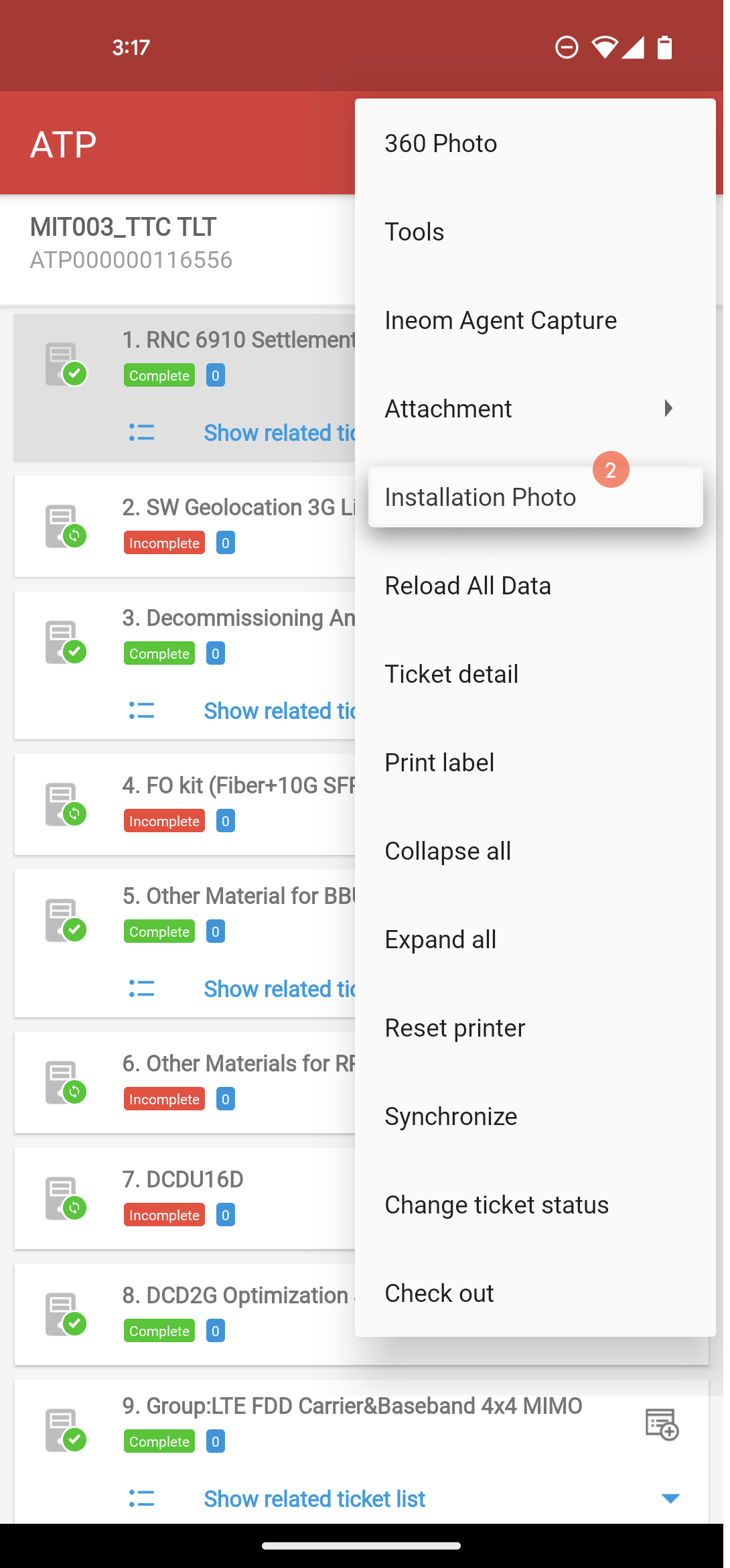
## Installation Photo

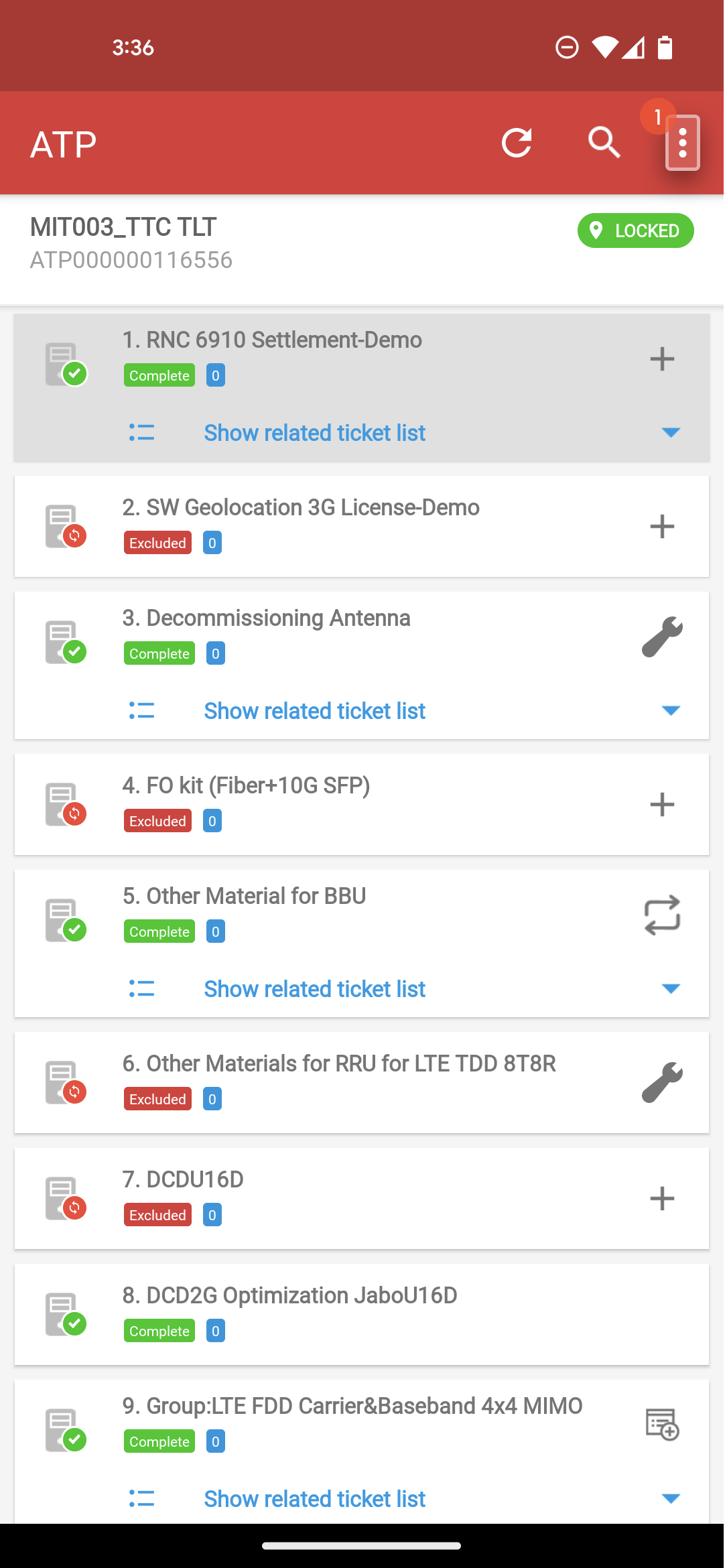
Klik menu option pada halaman ATP.

Klik `Installation Photo`.

Klik ikon 📷 untuk pengambilan foto site dan tower.

Klik `SYNCHRONIZE`.

Klik `YES`.

<div><figure><img src="/files/nOnCE5UCbf2XXu3Ocac8" alt=""><figcaption></figcaption></figure> <figure><img src="/files/cLlFJVLx6PAylVK3Mlyo" alt=""><figcaption></figcaption></figure> <figure><img src="/files/JnhDiPQf4rAox8EcbbKO" alt=""><figcaption></figcaption></figure> <figure><img src="/files/Oo8v4ZeijXo3fAJ1Ih0l" alt=""><figcaption></figcaption></figure> <figure><img src="/files/okbOkFOP7OABzKvbyxNv" alt=""><figcaption></figcaption></figure> <figure><img src="/files/v2o6MuZUiVb1J6HLtaTa" alt=""><figcaption></figcaption></figure></div>

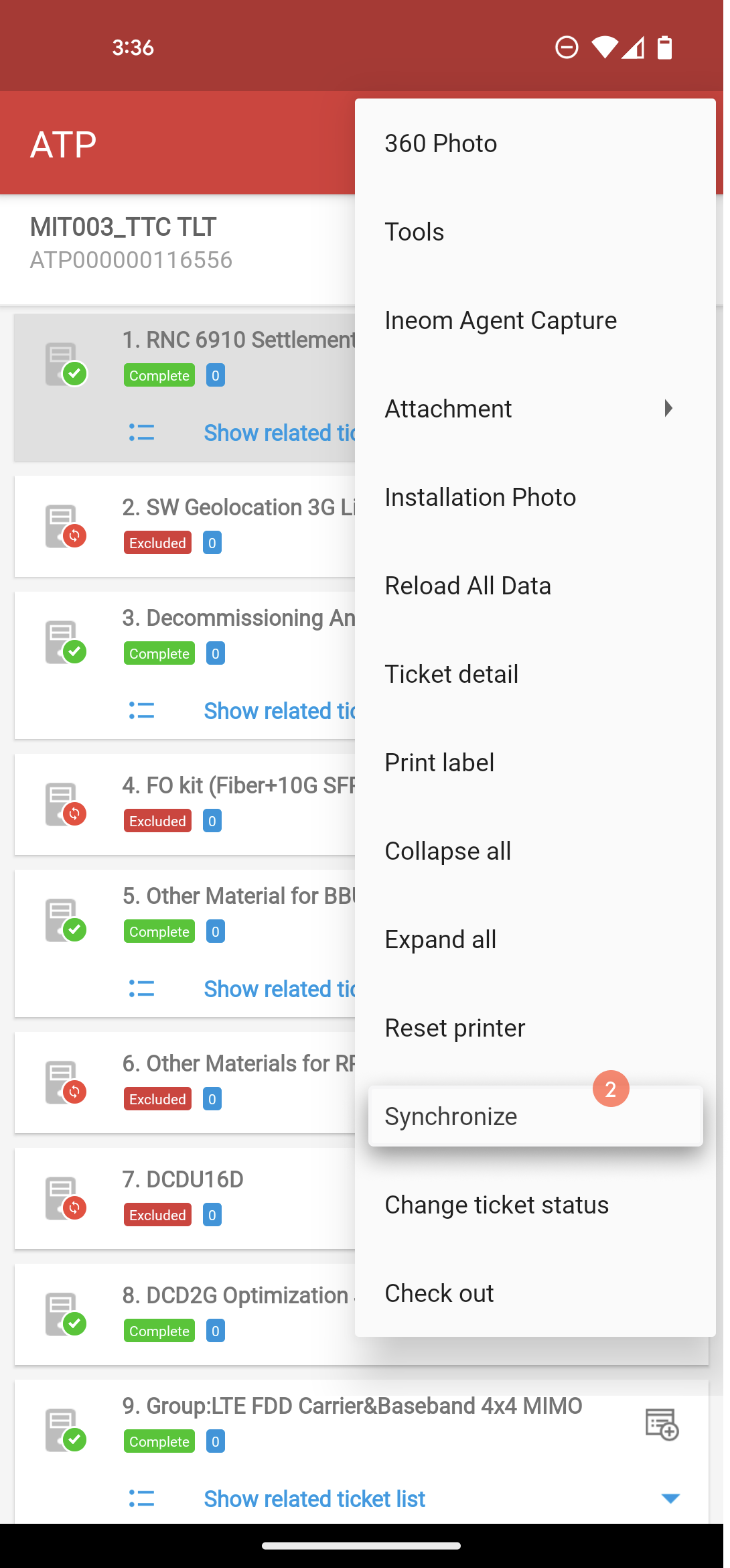
## Synchronize

Klik menu option pada halaman ATP.

Klik `Synchronize`.

Klik `YES`.

<div><figure><img src="/files/SWFMGeZbOTeF8UZcz33H" alt=""><figcaption></figcaption></figure> <figure><img src="/files/v1IfqceA7hXUjTVRLMDp" alt=""><figcaption></figcaption></figure> <figure><img src="/files/6sOV4yKztF056snyX5xP" alt=""><figcaption></figcaption></figure> <figure><img src="/files/DoPdb8xOdss0HcanIISC" alt=""><figcaption></figcaption></figure> <figure><img src="/files/eclK6awscsieK9McJ08I" alt=""><figcaption></figcaption></figure></div>

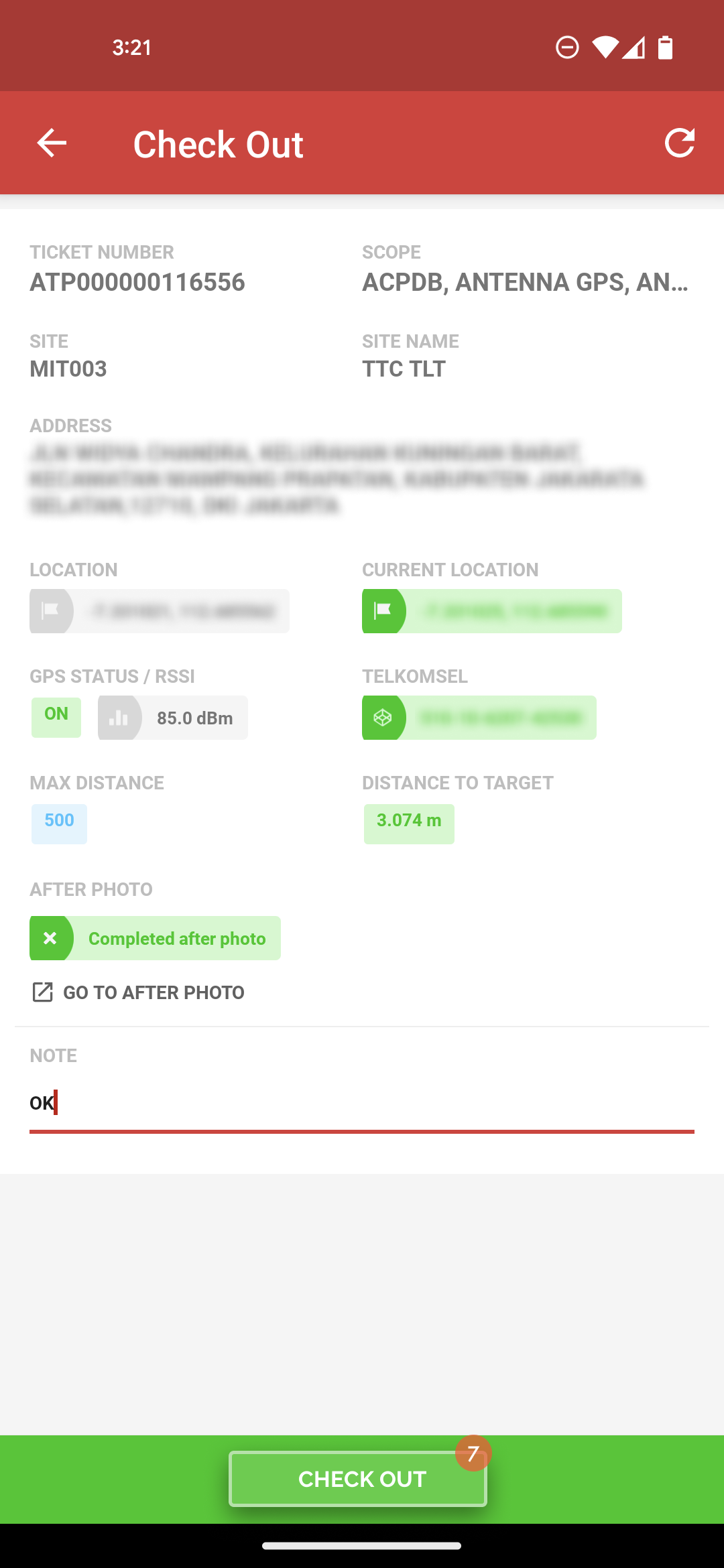
## Check Out

Klik menu option pada halaman ATP.

Klik `Check out`.

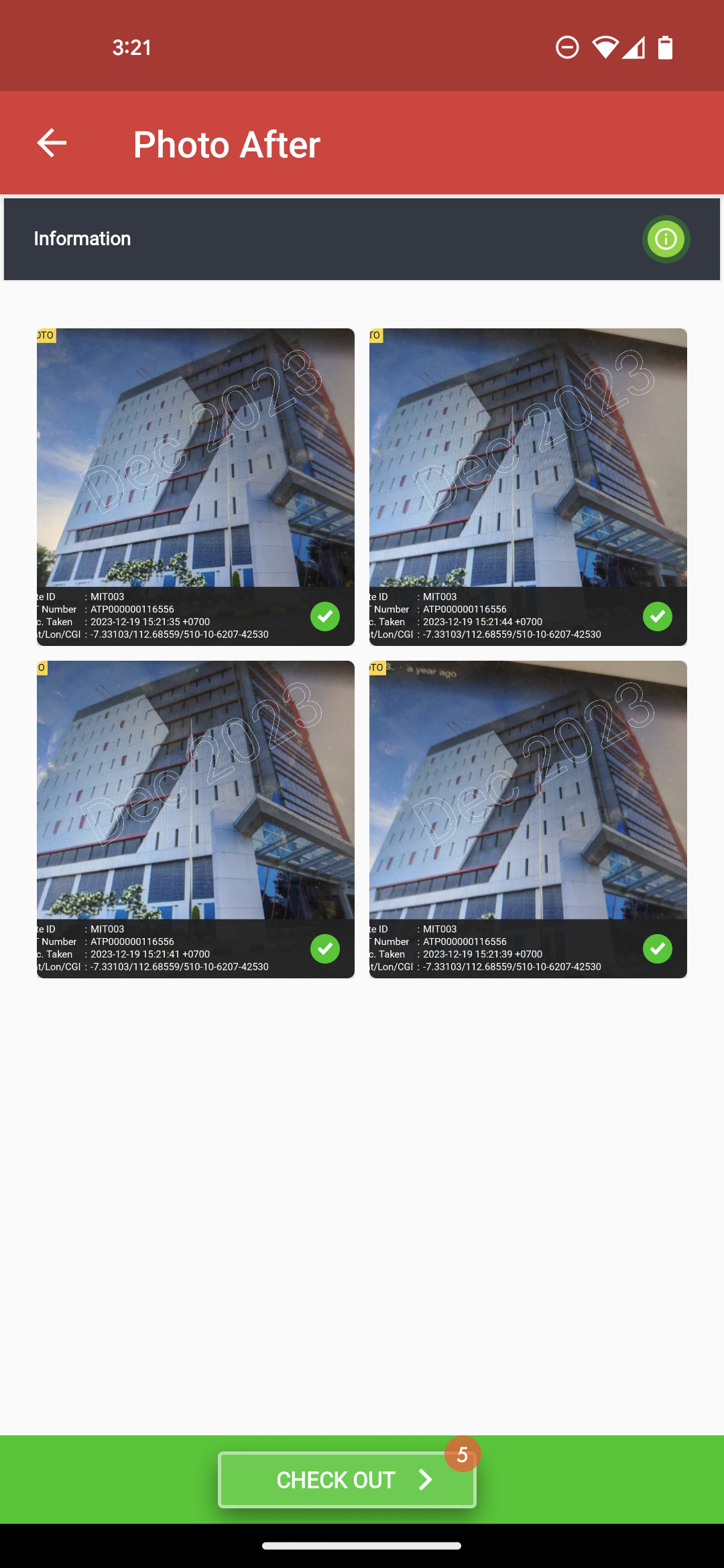
Klik `GO TO AFTER PHOTO` untuk melengkapi foto.

Klik ikon 📷 untuk pengambilan foto site bagian depan, belakang, samping kiri, dan kanan site.

Klik `CHECK OUT`.

Isi catatan.

Klik `CHECK OUT`.

<div><figure><img src="/files/WPrPr8QmQOPDfwo550jU" alt=""><figcaption></figcaption></figure> <figure><img src="/files/4pNQkn8rNcdJaTz6w0cE" alt=""><figcaption></figcaption></figure> <figure><img src="/files/JXIzuV985Vr29fZugZ4c" alt=""><figcaption></figcaption></figure> <figure><img src="/files/wD8m6geGsv70dkMwSPth" alt=""><figcaption></figcaption></figure> <figure><img src="/files/NifSMEhaYiDWrNXnrnsh" alt=""><figcaption></figcaption></figure> <figure><img src="/files/53K4IcOTAPQNbE3jYd8H" alt=""><figcaption></figcaption></figure> <figure><img src="/files/SG5TyII0xqwRpVoMfIpx" alt=""><figcaption></figcaption></figure></div>