> For the complete documentation index, see [llms.txt](https://docs.ineom-tsel.mit.id/llms.txt). Markdown versions of documentation pages are available by appending `.md` to page URLs; this page is available as [Markdown](https://docs.ineom-tsel.mit.id/eatp/asset-movement/site-regular-to-ttc/create-ticket-movement-site-regular-to-ttc.md).
# Create Ticket Movement Site Regular to TTC
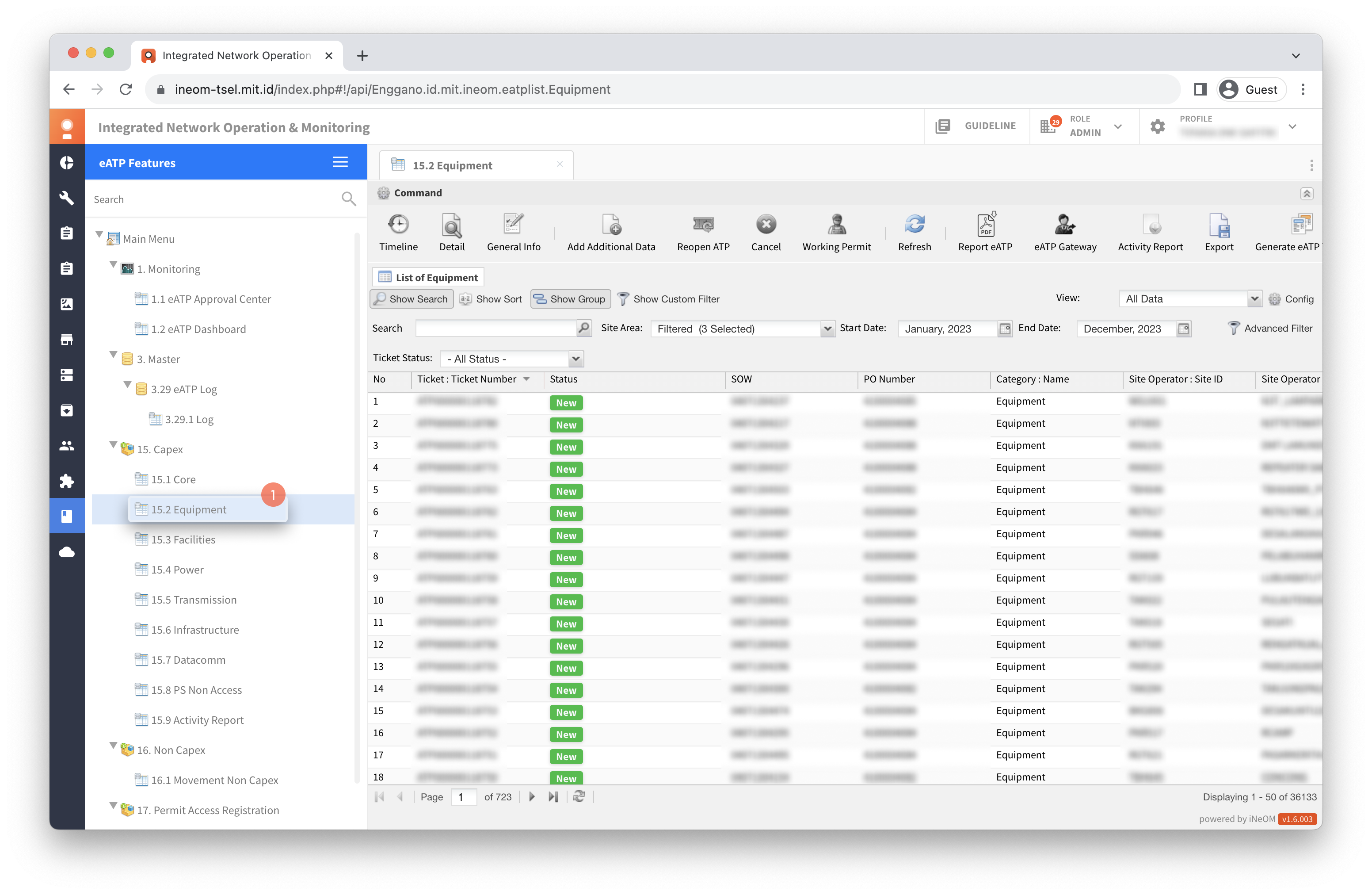
Klik menu `15.2 Equipment` (eATP Features).
{% hint style="warning" %}
Create ticket movement site regular to site TTC dilakukan pada tiket dengan status **New** atau **In Progress**.
{% endhint %}
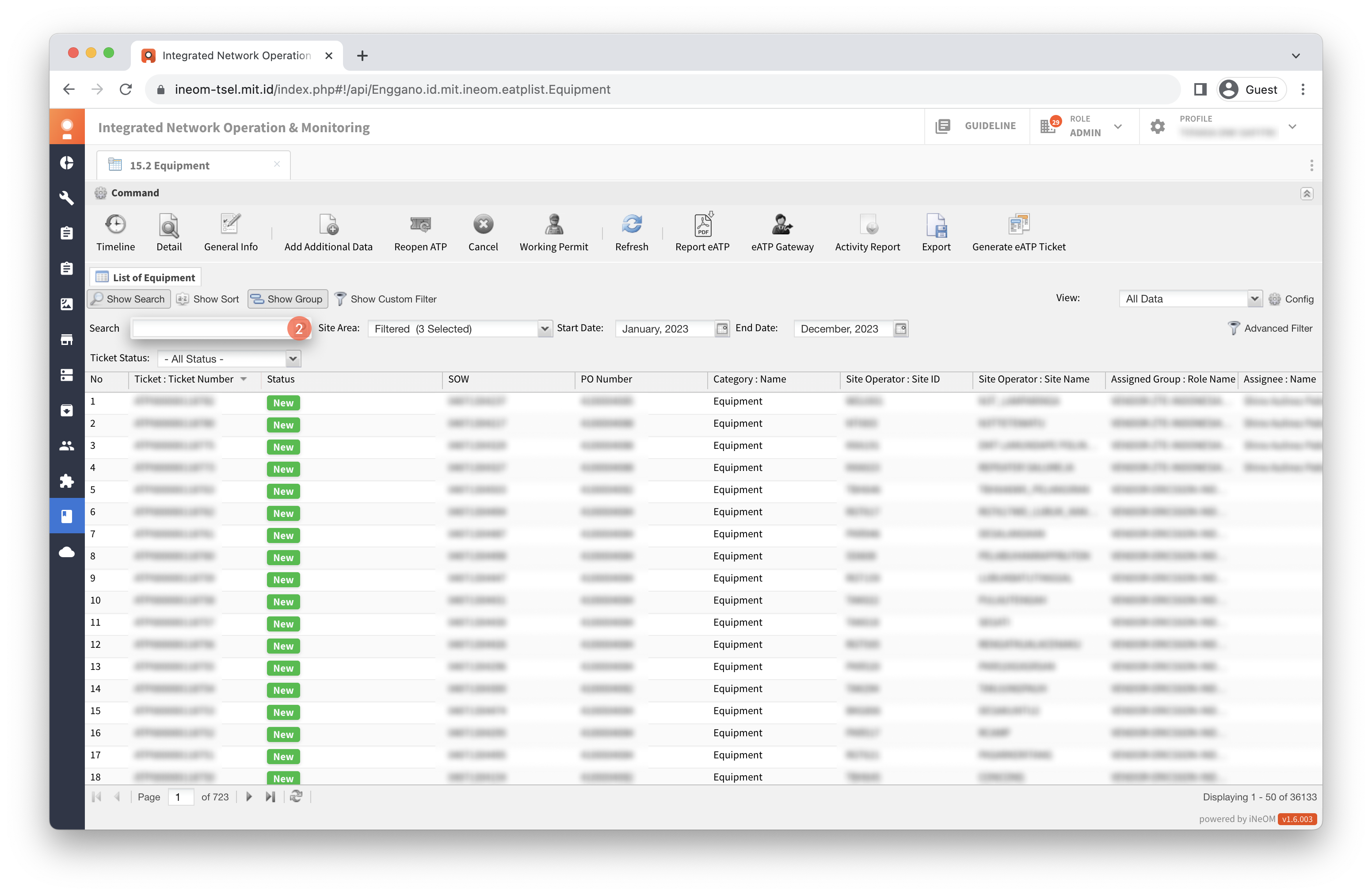
Cari ticket number.
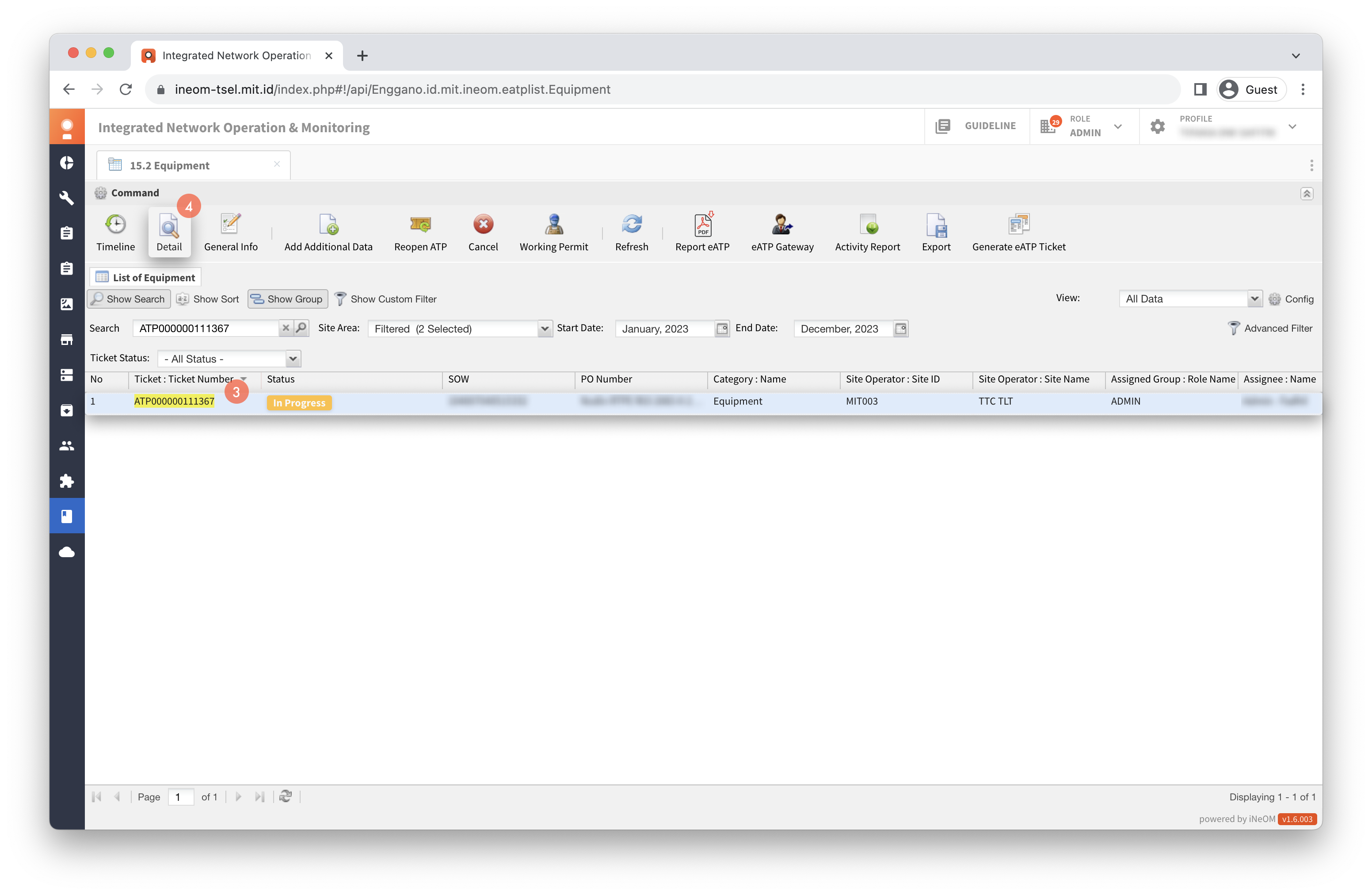
Klik tiket ATP.
Klik `Detail`.
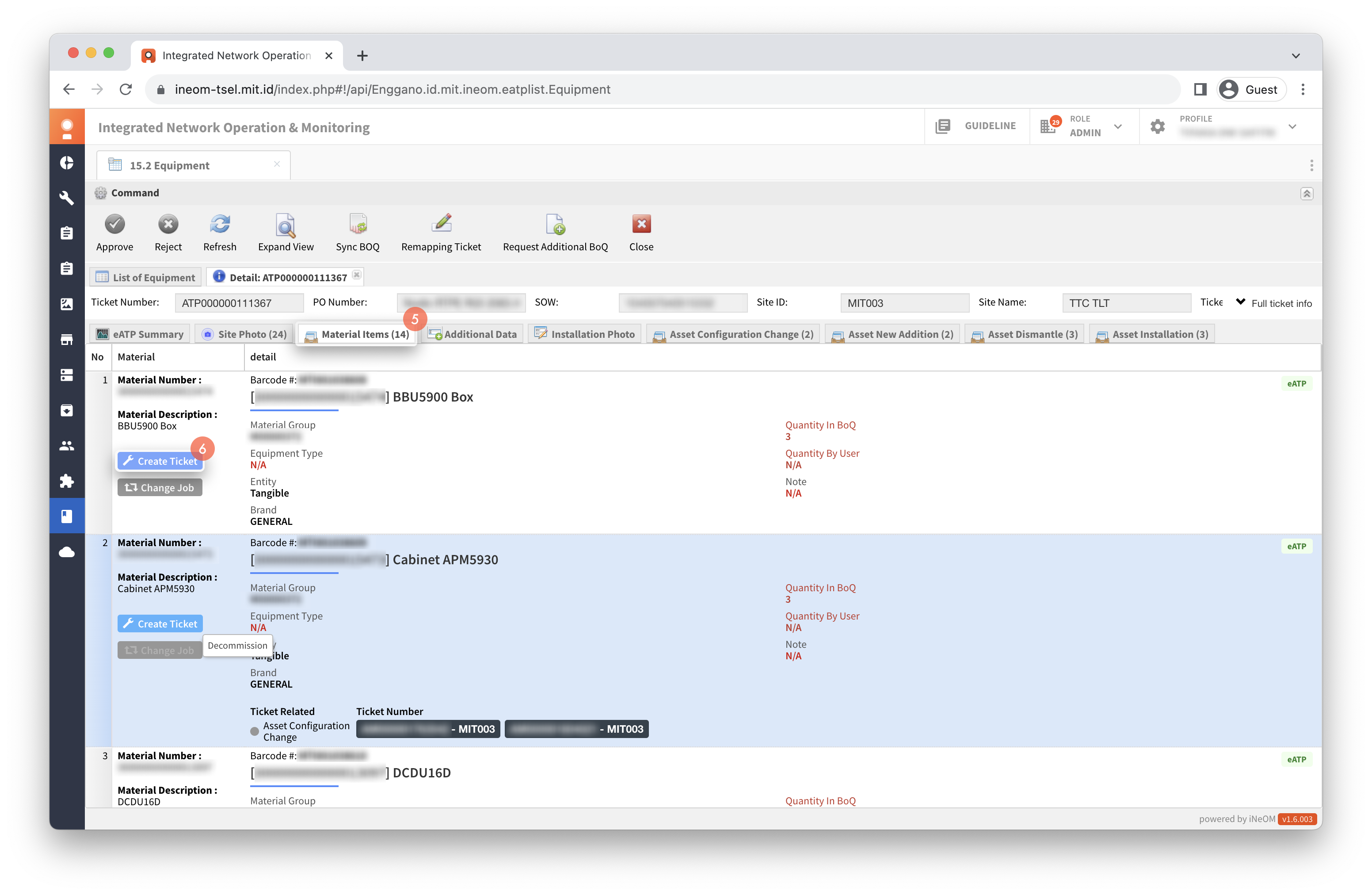
Klik tab Material Items.
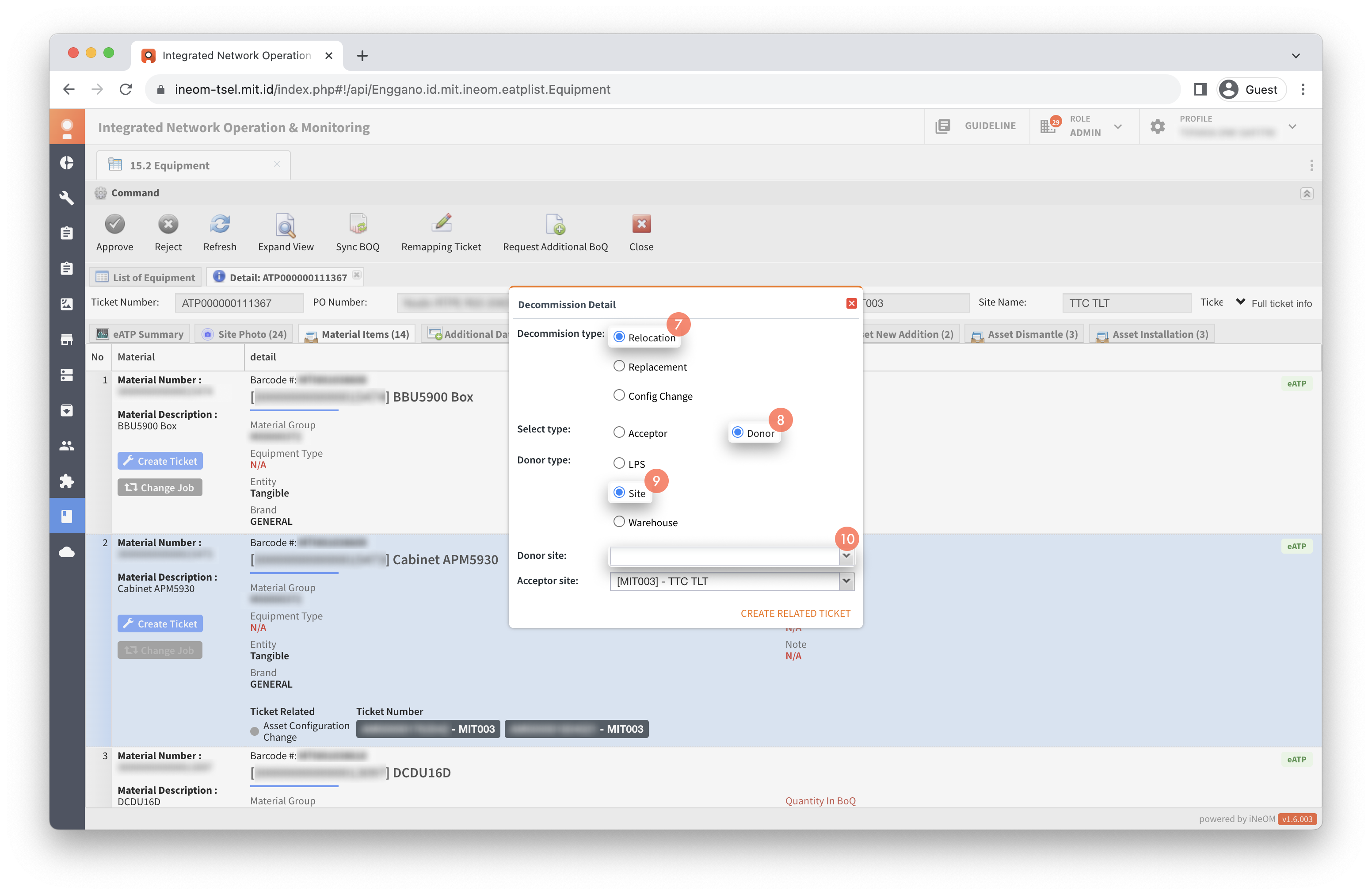
Klik `Create Ticket` pada job type Decommission.
Isi data pada dialog Decommission Detail.
{% hint style="info" %}
Petunjuk pengisian data pada dialog Decommission Detail untuk proses movement site regular to TTC:
* **Decommission type**: Pilih Relocation.
* **Select type**: Pilih Donor.
* **Donor type**: Pilih Site.
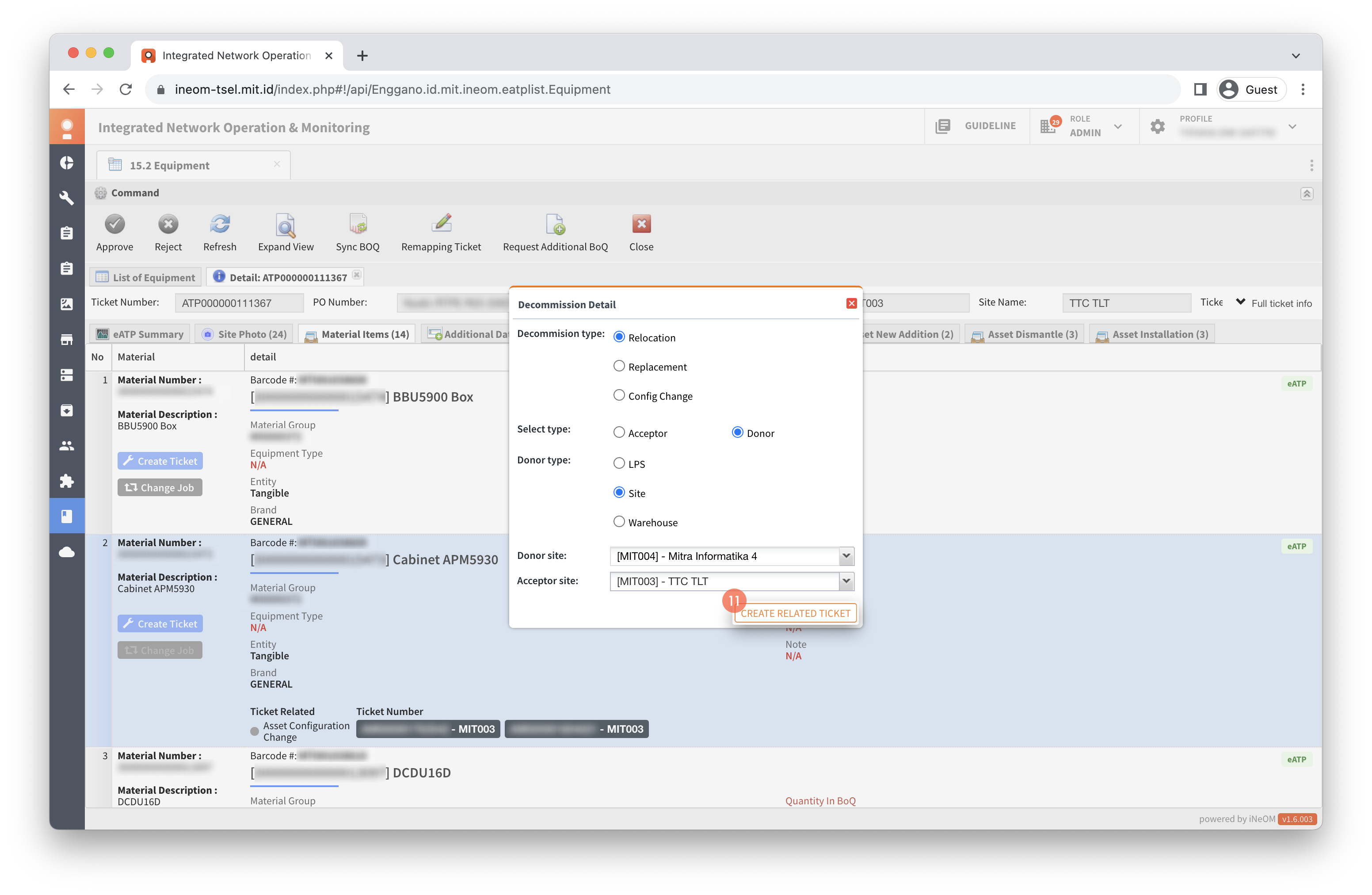
* **Donor site**: Isi dengan site regular yang akan dijadikan site donor.
{% endhint %}
Klik `CREATE RELATED TICKET`.
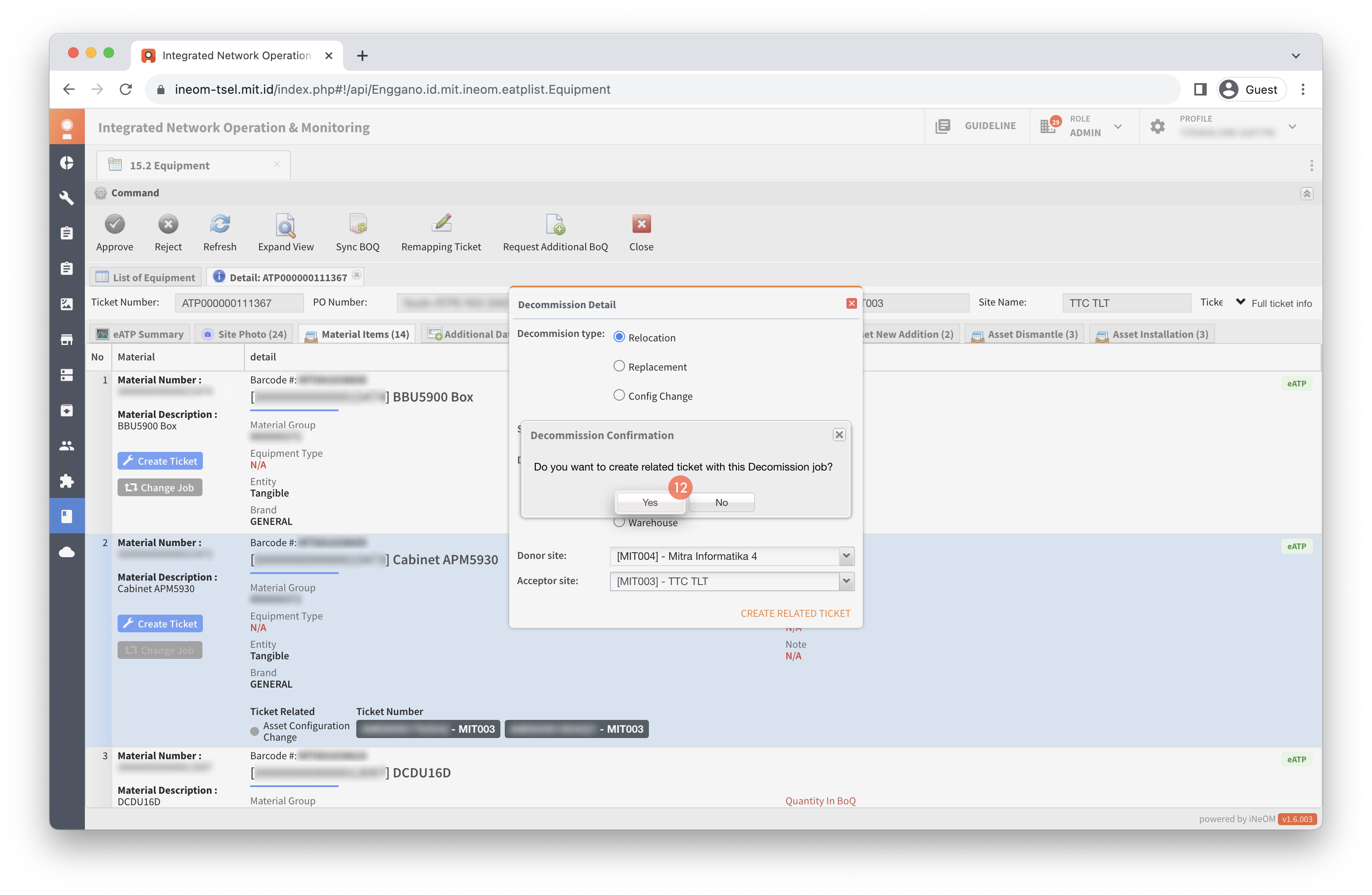
Klik `Yes`.
{% hint style="success" %}
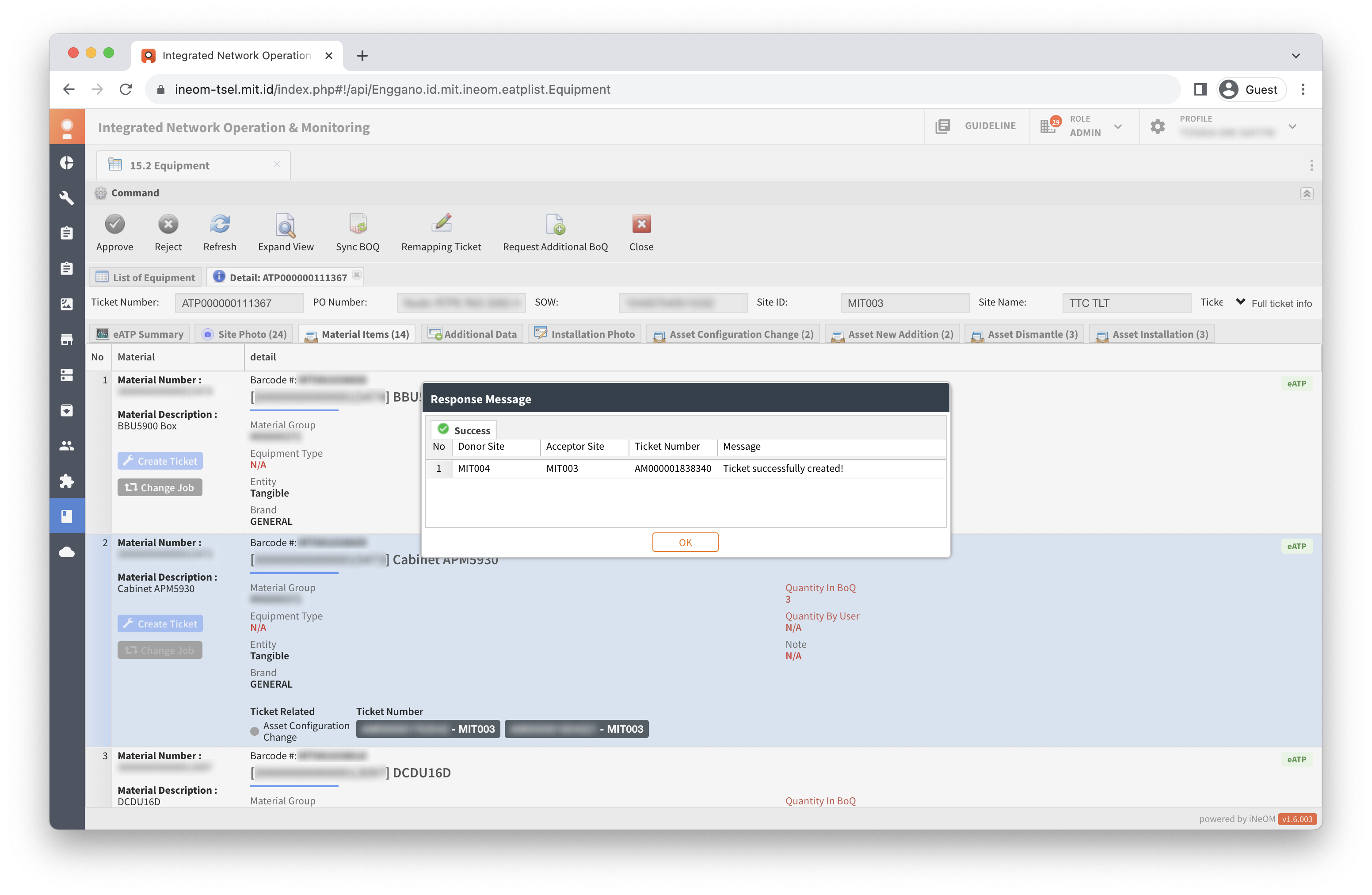
Proses create related ticket movement site regular to site TTC berhasil apabila tiket ATP menghasilkan dua ticket related, yaitu:
1. Ticket AM asset dismantle dengan status **New**.
2. Ticket AM asset installation dengan status **Pending**.
{% endhint %}