> For the complete documentation index, see [llms.txt](https://docs.ineom-tsel.mit.id/llms.txt). Markdown versions of documentation pages are available by appending `.md` to page URLs; this page is available as [Markdown](https://docs.ineom-tsel.mit.id/eatp/asset-femto/store-wh-only/working-on-asset-new-addition/check-out-new-addition-ticket.md).

# Check Out New Addition Ticket

## Synchronize

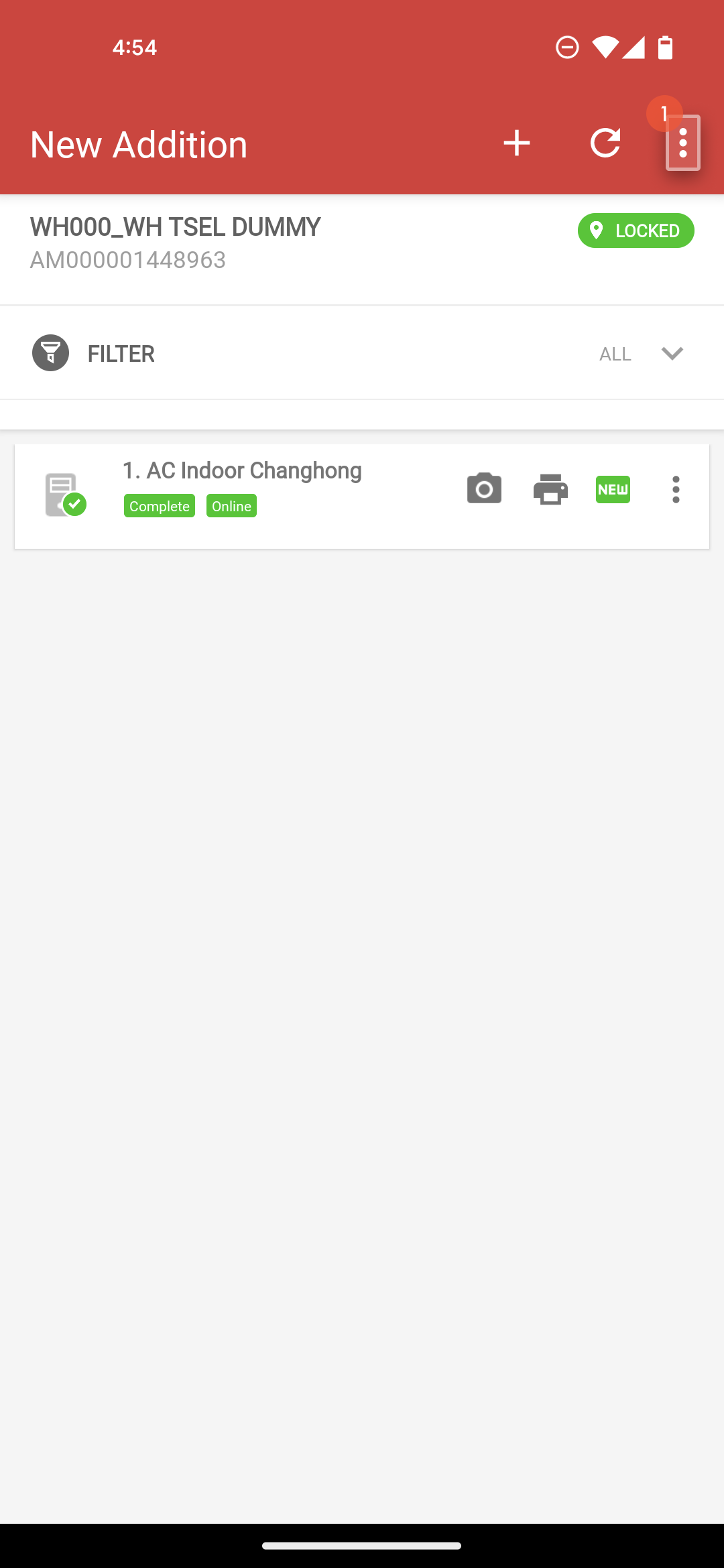
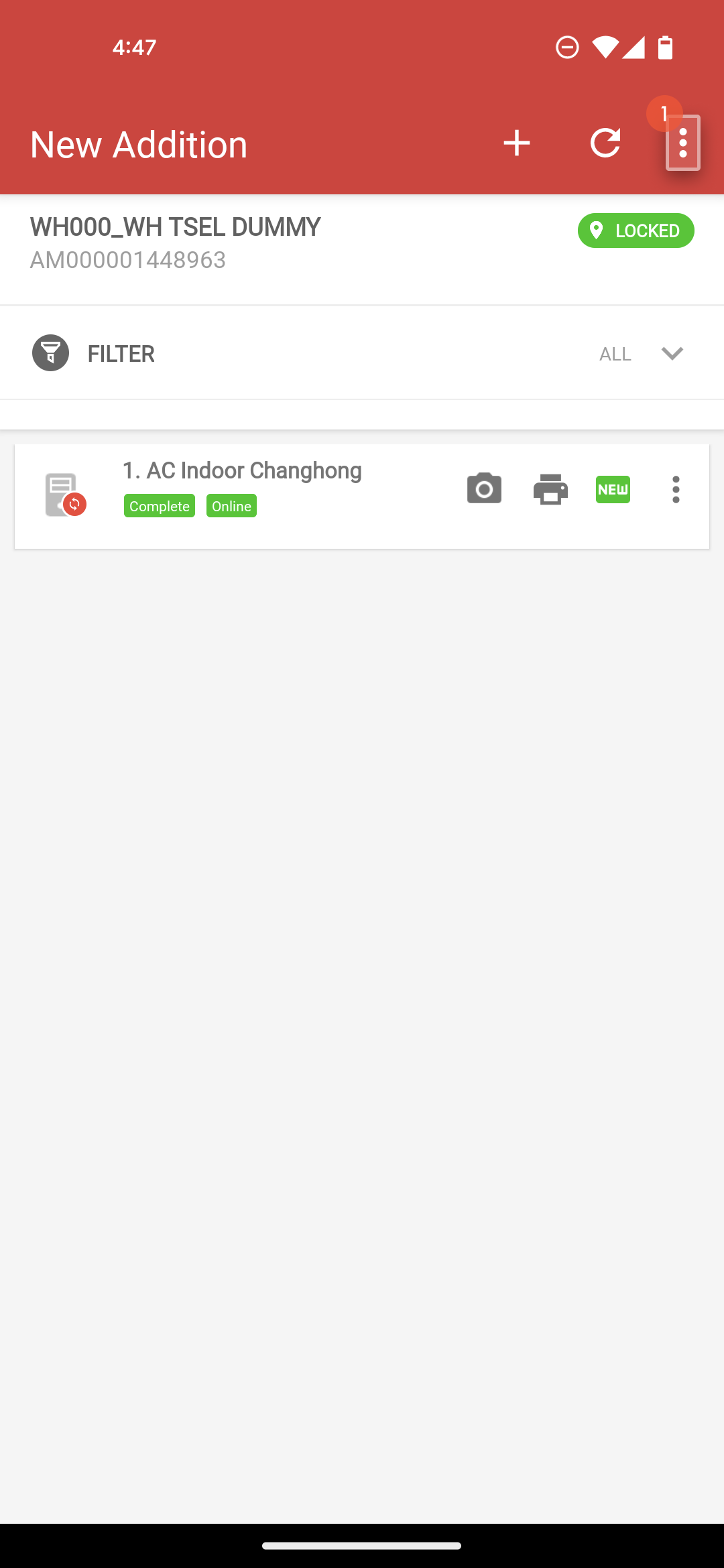
Klik menu option pada halaman New Addition.

Klik `Synchronize`.

Klik `YES`.

<div><figure><img src="/files/vJse7DiKSLgAAaVvycty" alt=""><figcaption></figcaption></figure> <figure><img src="/files/yiY93JiG7G9i0nTdjf1r" alt=""><figcaption></figcaption></figure> <figure><img src="/files/YdMxeccN7vafasx8RuFU" alt=""><figcaption></figcaption></figure> <figure><img src="/files/92hrBQEcY5kS5I3qkJaC" alt=""><figcaption></figcaption></figure> <figure><img src="/files/m0WmiyopA4zrkezEXycX" alt=""><figcaption></figcaption></figure></div>

## Check Out

Klik menu option pada halaman New Addition.

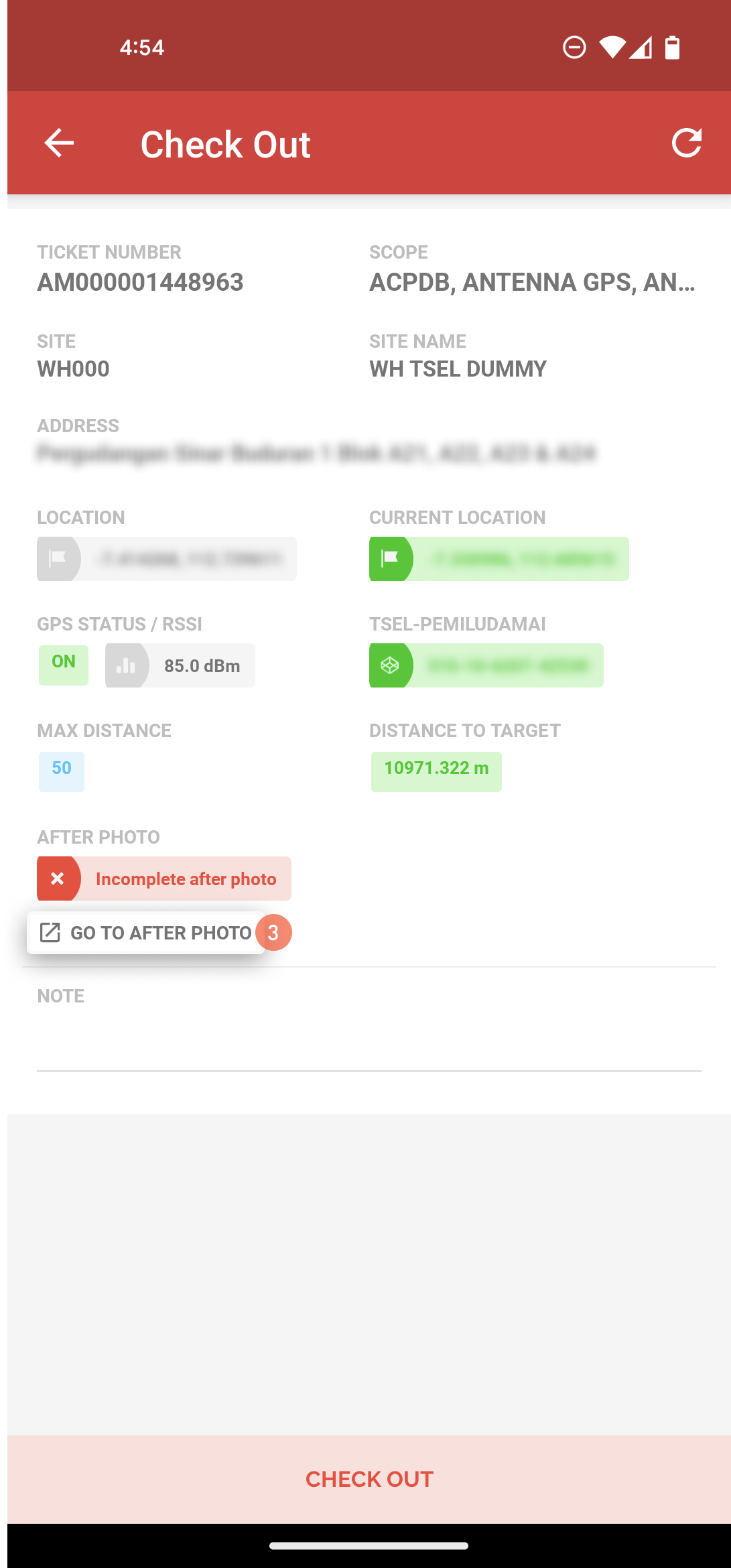
Klik `Check Out`.

lik `GO TO AFTER PHOTO` untuk melengkapi foto.

Klik ikon 📷 untuk pengambilan foto site bagian depan, belakang, samping kiri, dan kanan site.

Klik `CHECK OUT`.

Isi catatan.

Klik `CHECK OUT`.
<div><figure><img src="/files/VlZksSeJNT8w436LzRCc" alt=""><figcaption></figcaption></figure> <figure><img src="/files/Cqox8J21HVqURkrEYrUY" alt=""><figcaption></figcaption></figure> <figure><img src="/files/AhbC0szKo5Adnyjf1ykV" alt=""><figcaption></figcaption></figure> <figure><img src="/files/3kjgKjALg4gIMeFFubVd" alt=""><figcaption></figcaption></figure> <figure><img src="/files/GQYYDYhE9JOiZUEJFqaw" alt=""><figcaption></figcaption></figure> <figure><img src="/files/oEvBJlUVvM8iLct1BpsI" alt=""><figcaption></figcaption></figure> <figure><img src="/files/r5934P0dPfhuxWEYlEOm" alt=""><figcaption></figcaption></figure></div>