> For the complete documentation index, see [llms.txt](https://docs.ineom-tsel.mit.id/llms.txt). Markdown versions of documentation pages are available by appending `.md` to page URLs; this page is available as [Markdown](https://docs.ineom-tsel.mit.id/eatp/asset-femto/relocation-wh-to-site/request-warehouse-permit.md).
# Request Warehouse Permit
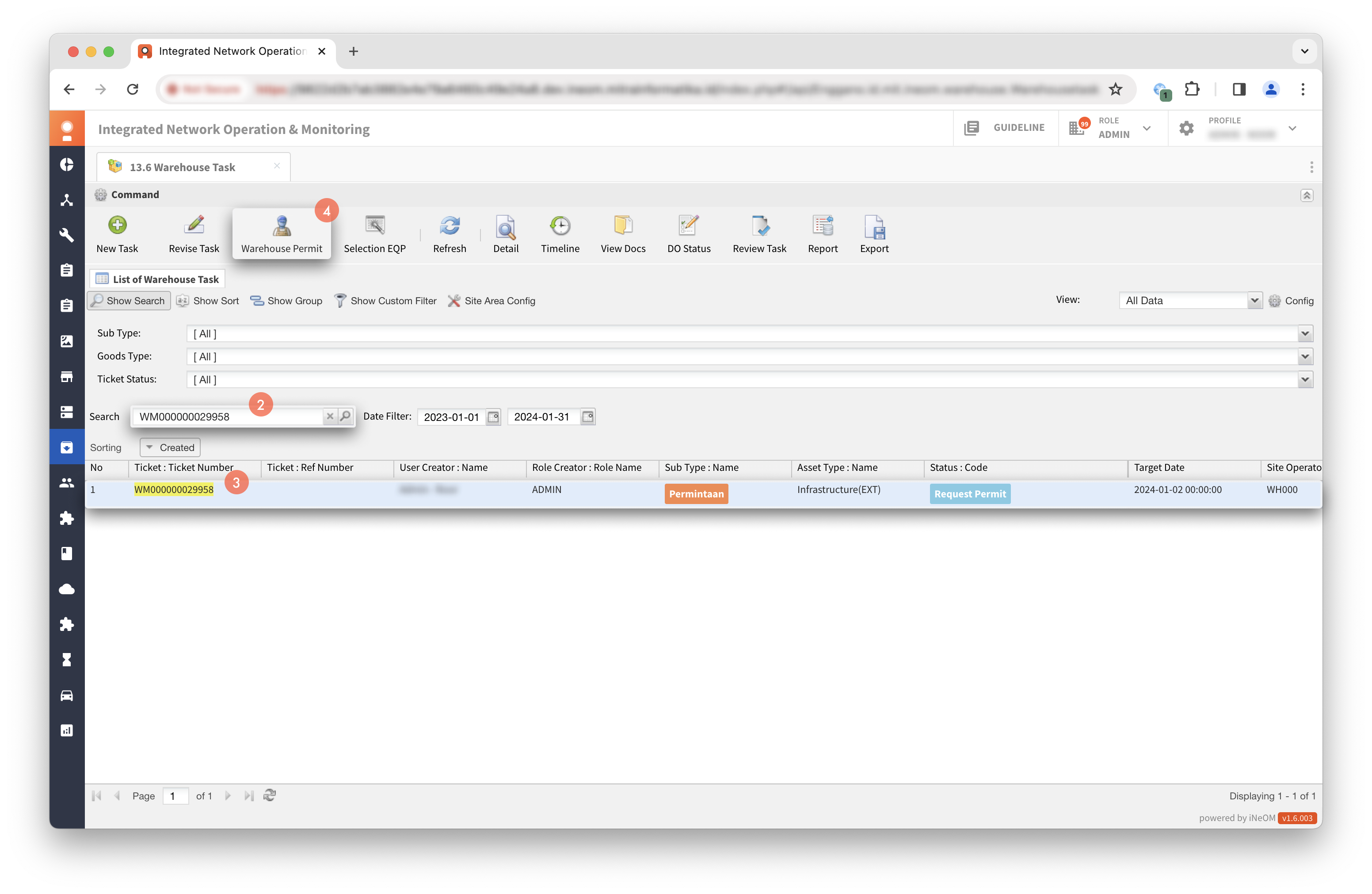
Klik menu `13.6 Warehouse Task` (eWonder Features).
{% hint style="warning" %}
Request warehouse permit dilakukan pada tiket dengan status **Request Warehouse Permit**.
{% endhint %}
Cari ticket number.
Klik tiket WM.
Klik `Warehouse Permit`.
{% hint style="info" %}
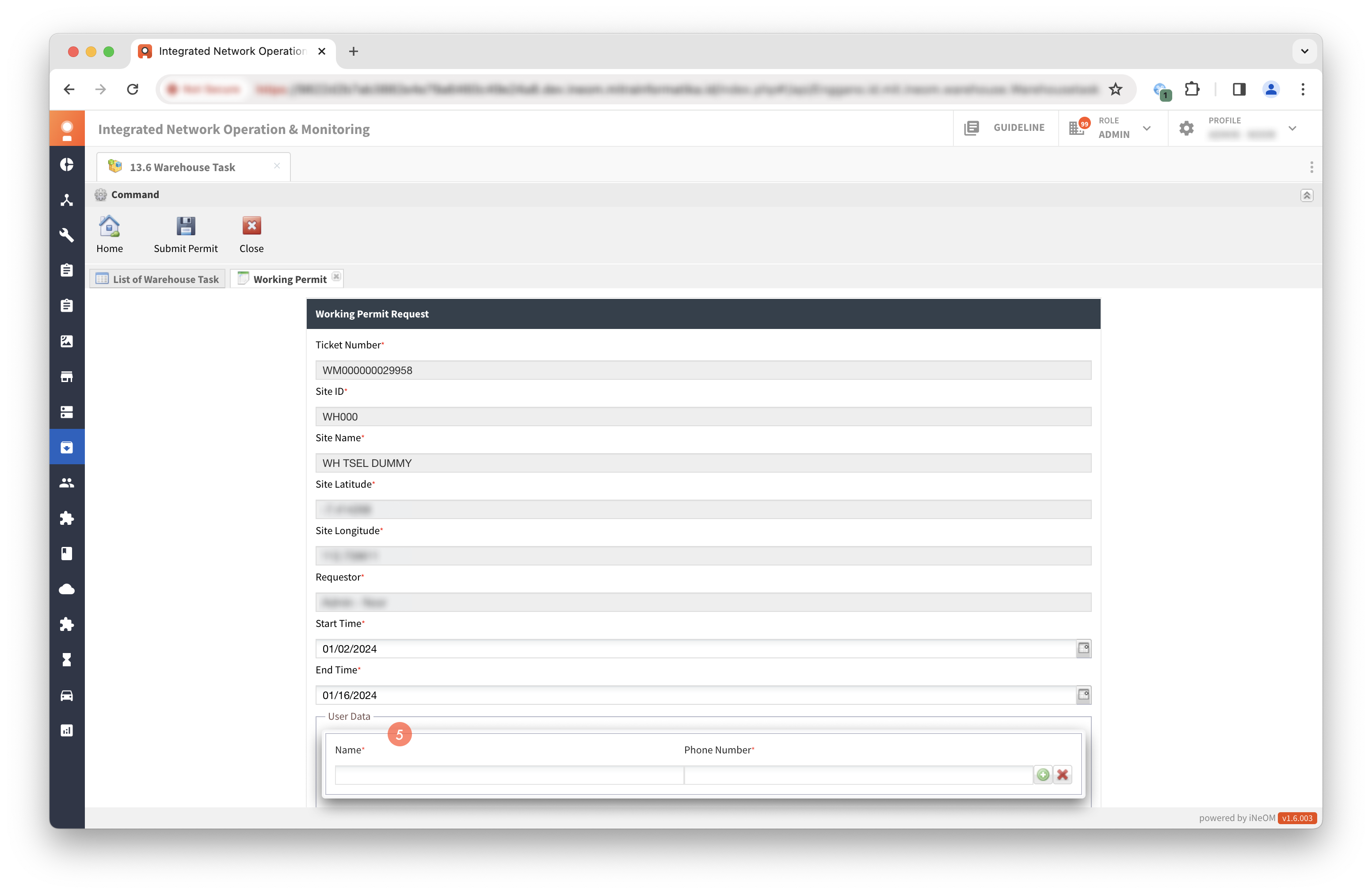
* Apabila user yang melakukan request warehouse permit berbeda dengan user yang melakukan create ticket, maka perlu melakukan tahap pengisian verifikasi kode.
* Untuk mendapatkan kode verifikasi, user dapat menghubungi user creator.
{% endhint %}
Isi data user.
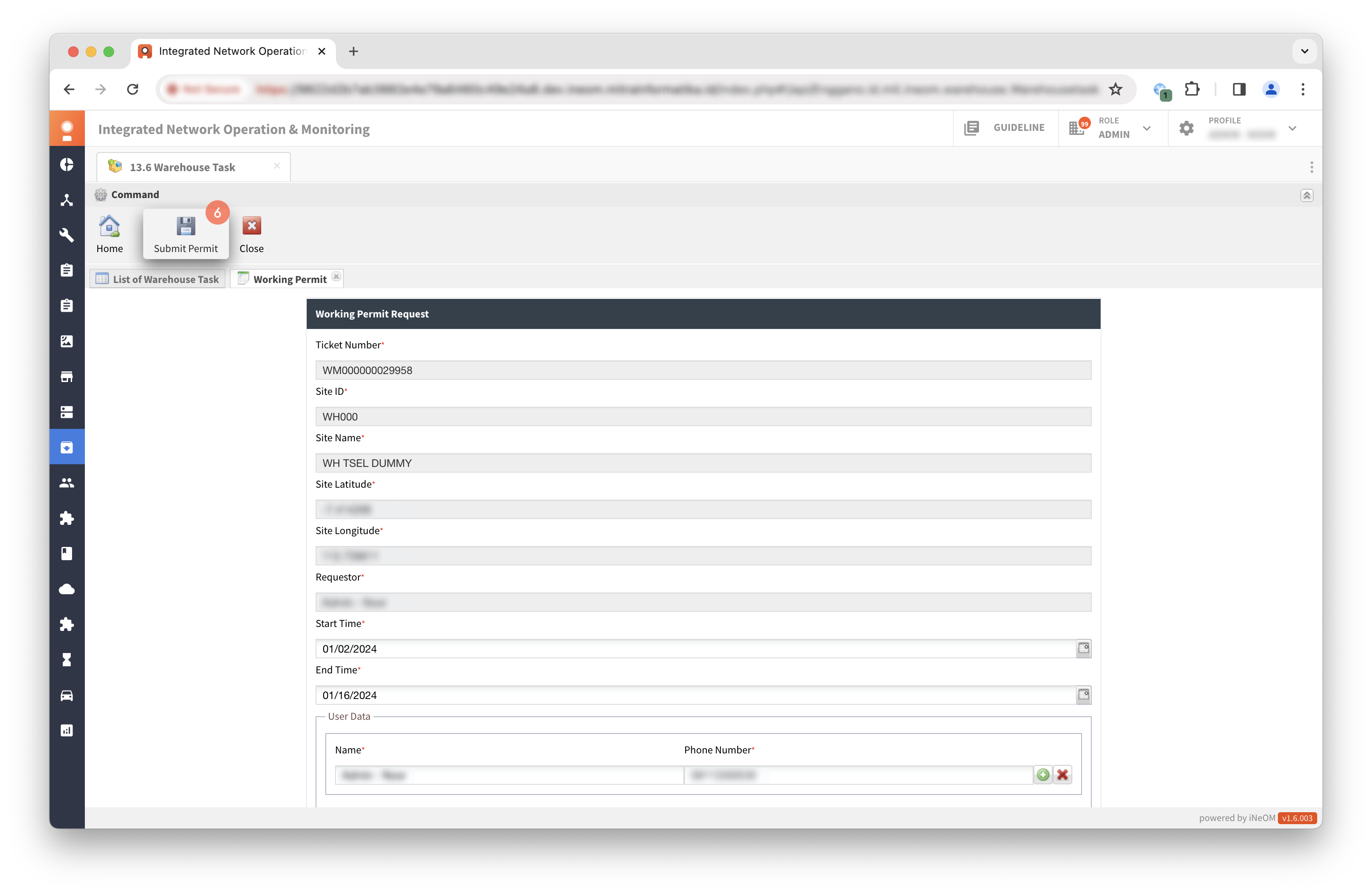
Klik `Submit Permit`.
Klik `Yes`.
{% hint style="success" %}
Proses request warehouse permit berhasil apabila status tiket menjadi **In Progress**.
{% endhint %}