> For the complete documentation index, see [llms.txt](https://docs.ineom-tsel.mit.id/llms.txt). Markdown versions of documentation pages are available by appending `.md` to page URLs; this page is available as [Markdown](https://docs.ineom-tsel.mit.id/eatp/asset-femto/relocation-wh-to-site/check-out-atp-ticket.md).

# Check Out ATP Ticket

{% hint style="info" %}
Check out ticket ATP dilakukan setelah proses pengerjaan tiket WM asset requisition dan tiket AM asset installation telah selesai (status: **Closed**).

Proses check out ticket ATP terdiri dari:

1. Synchronize
2. Installation photo
3. Check out
   {% endhint %}

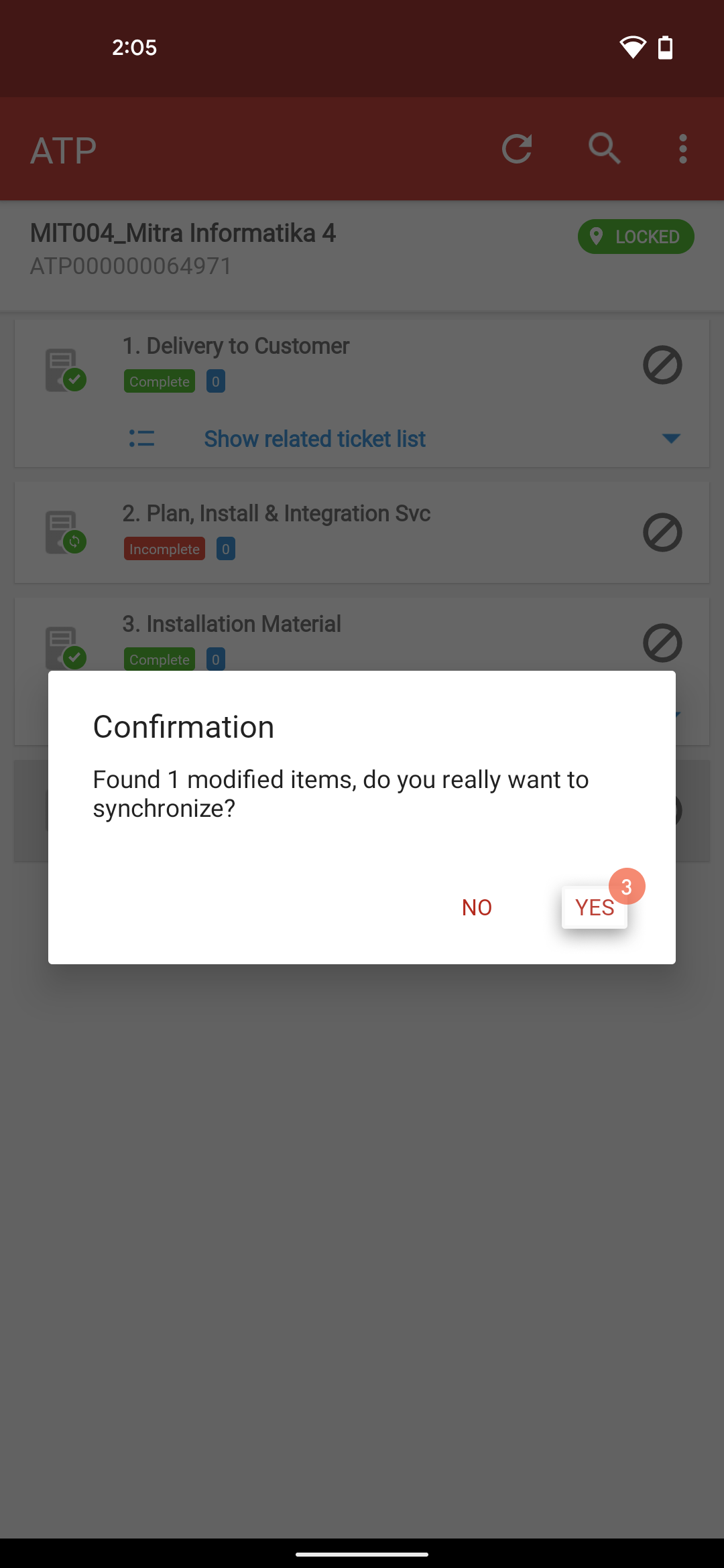
## Synchronize

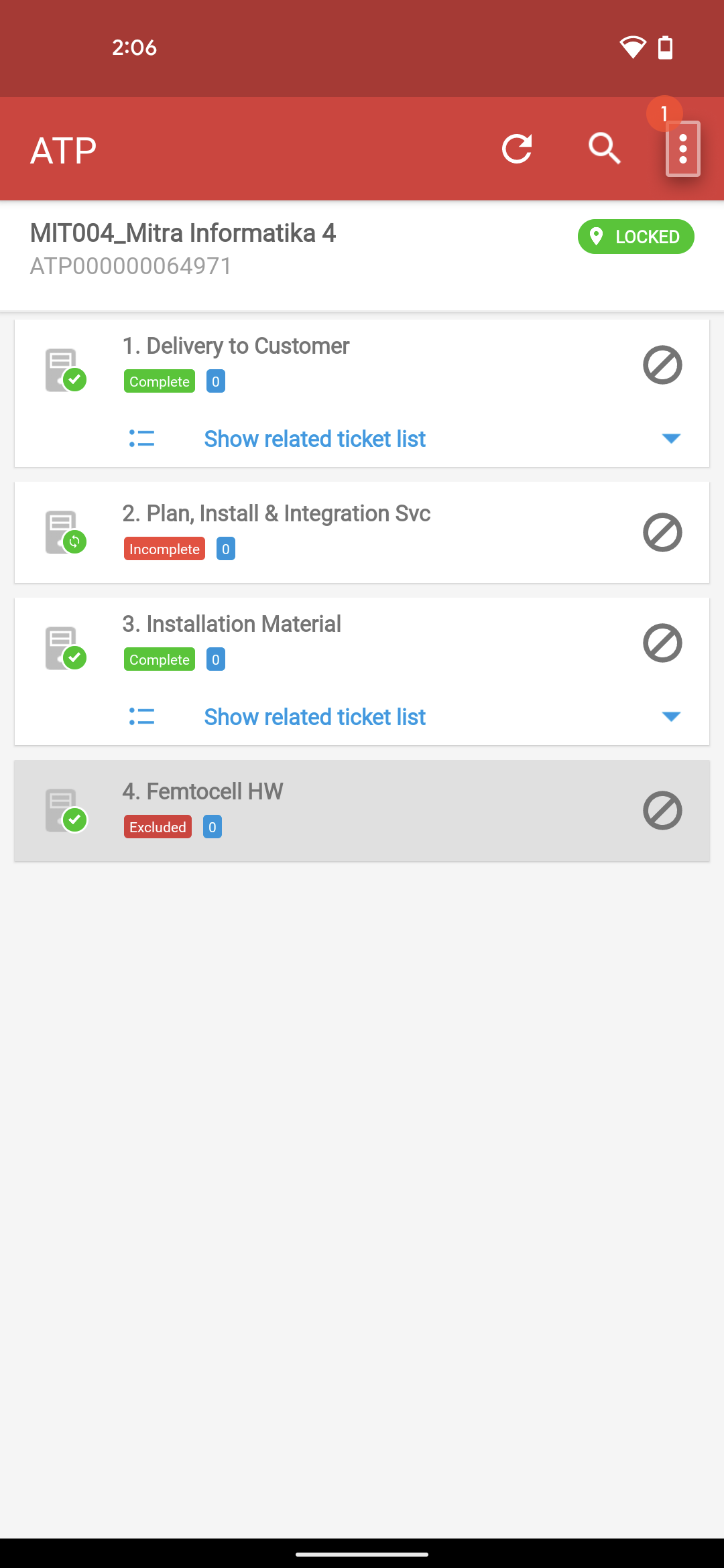
Klik menu option pada halaman ATP.

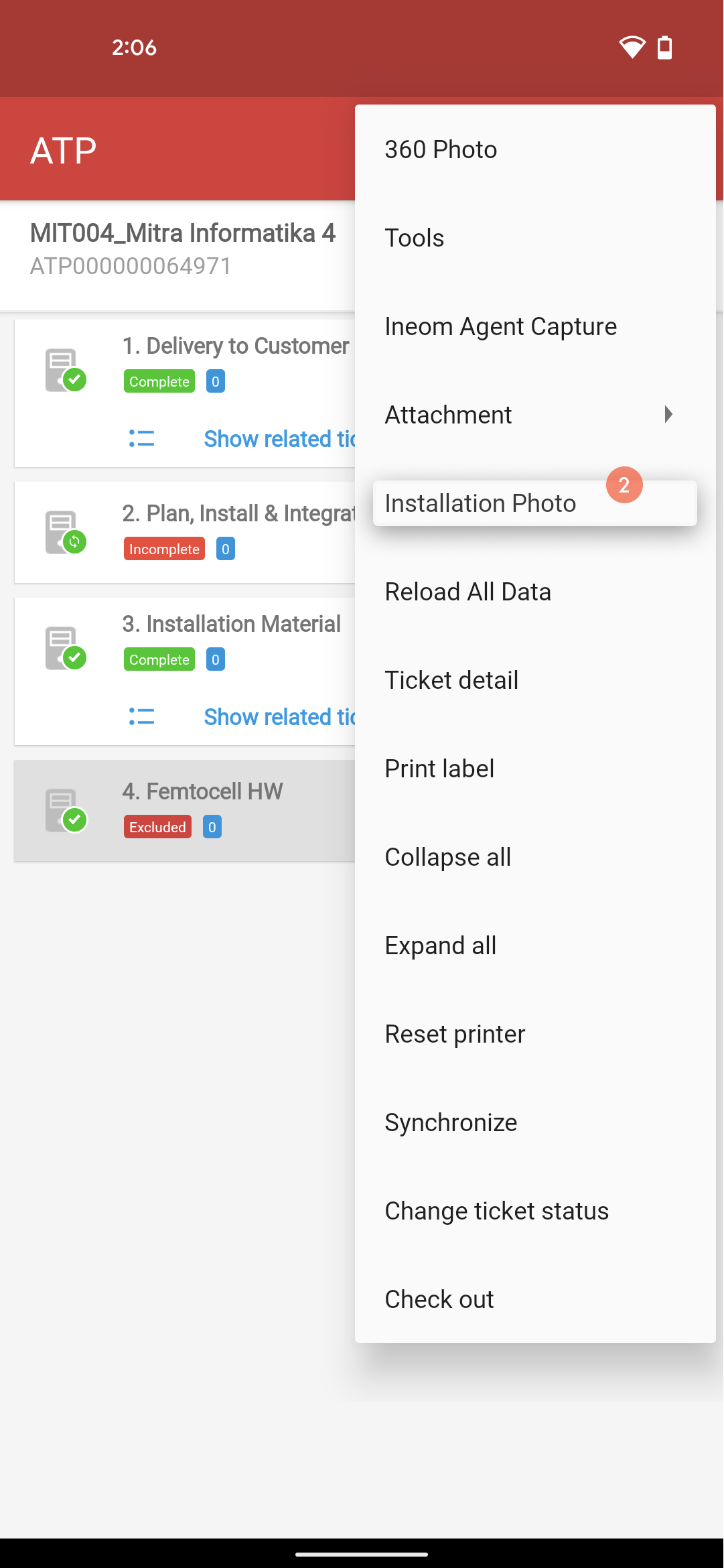
Klik `Synchronize`.

Klik `YES`.

<div><figure><img src="/files/eOD8djgRA0bG9gsxskNh" alt=""><figcaption></figcaption></figure> <figure><img src="/files/fNTyYTZpqK7lVRdPCENF" alt=""><figcaption></figcaption></figure> <figure><img src="/files/Oa9PufMXCKjOzvBHPfbd" alt=""><figcaption></figcaption></figure> <figure><img src="/files/L1GtmGJOknjpyTvAEAcN" alt=""><figcaption></figcaption></figure></div>

## Installation Photo

Klik menu option pada halaman ATP.

Klik `Installation Photo`.

Klik ikon 📷 untuk pengambilan foto site dan tower.

Klik `SYNCHRONIZE`.

Klik `YES`.

<div><figure><img src="/files/cDltgevx7sz6H3kkvW5t" alt=""><figcaption></figcaption></figure> <figure><img src="/files/PGMgNLz0D2mMvMv3xGxV" alt=""><figcaption></figcaption></figure> <figure><img src="/files/hfNPfAlLX3k7zTQqIri0" alt=""><figcaption></figcaption></figure> <figure><img src="/files/2fsN0J45h02Iz5syFq8D" alt=""><figcaption></figcaption></figure> <figure><img src="/files/2WlYVtBZi9yivmqcITUx" alt=""><figcaption></figcaption></figure> <figure><img src="/files/COLCOgxZToY2BHejlf9s" alt=""><figcaption></figcaption></figure></div>

## Check Out

Klik menu option pada halaman ATP.

Klik `Check Out`.

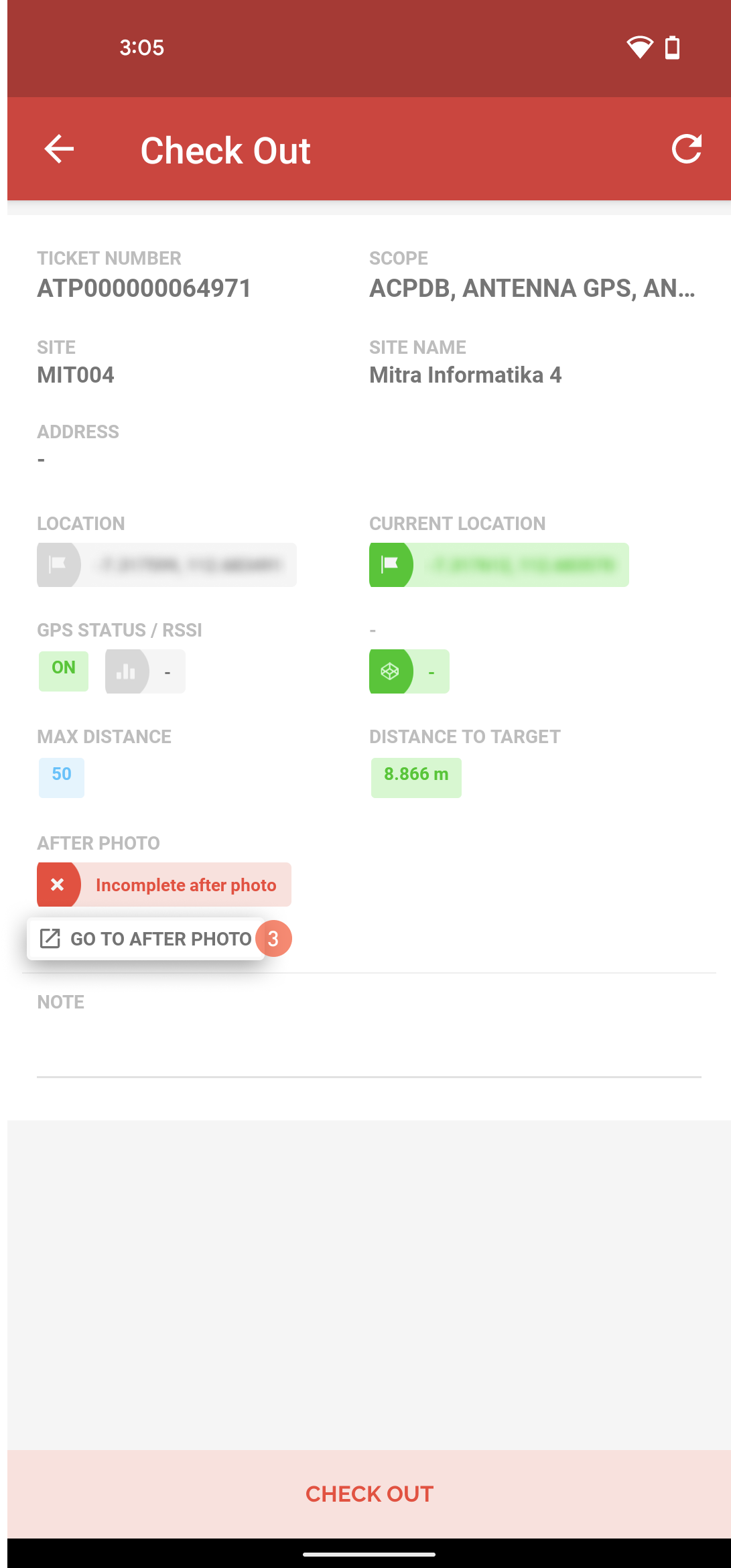
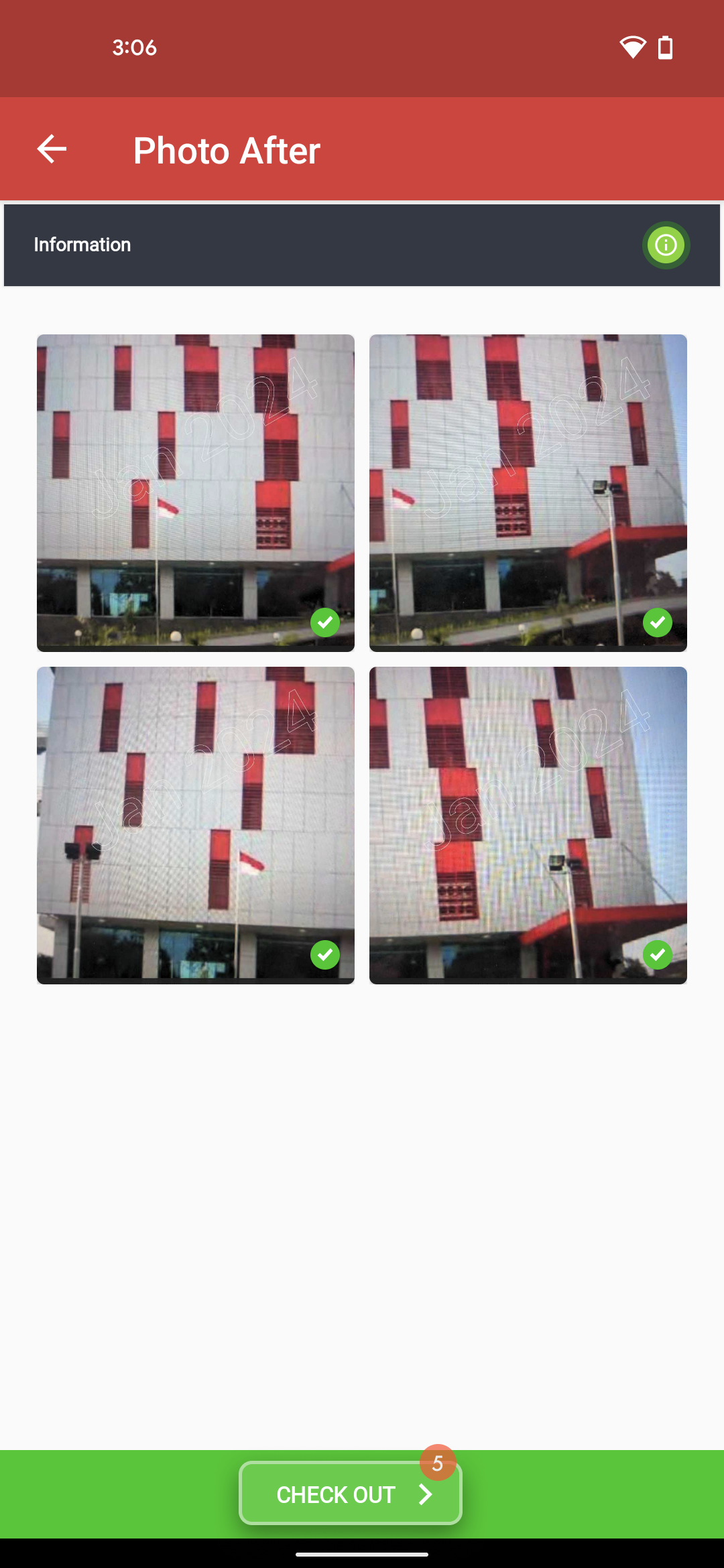
Klik `GO TO AFTER PHOTO` untuk melengkapi foto.

Klik ikon 📷 untuk pengambilan foto site bagian depan, belakang, samping kiri, dan kanan site.

Klik `CHECK OUT`.

Isi catatan.

Klik `YES`.

<div><figure><img src="/files/3sISke8yBH88jnTRFpeq" alt=""><figcaption></figcaption></figure> <figure><img src="/files/hVdfE67btljRNTwHcf88" alt=""><figcaption></figcaption></figure> <figure><img src="/files/ycVNaFNkoLFpi6vTACjZ" alt=""><figcaption></figcaption></figure> <figure><img src="/files/SuUmfUSGJ62IRBFBEAJC" alt=""><figcaption></figcaption></figure> <figure><img src="/files/xNM7HWuNzMInfhP0Q44x" alt=""><figcaption></figcaption></figure> <figure><img src="/files/ocyDUC6aPh050CzwQcaz" alt=""><figcaption></figcaption></figure> <figure><img src="/files/2ry4LbGR8RjXqULAegCT" alt=""><figcaption></figcaption></figure></div>