> For the complete documentation index, see [llms.txt](https://docs.ineom-tsel.mit.id/llms.txt). Markdown versions of documentation pages are available by appending `.md` to page URLs; this page is available as [Markdown](https://docs.ineom-tsel.mit.id/eatp/asset-femto/relocation-wh-to-site/approval-atp-ticket.md).
# Approval ATP Ticket
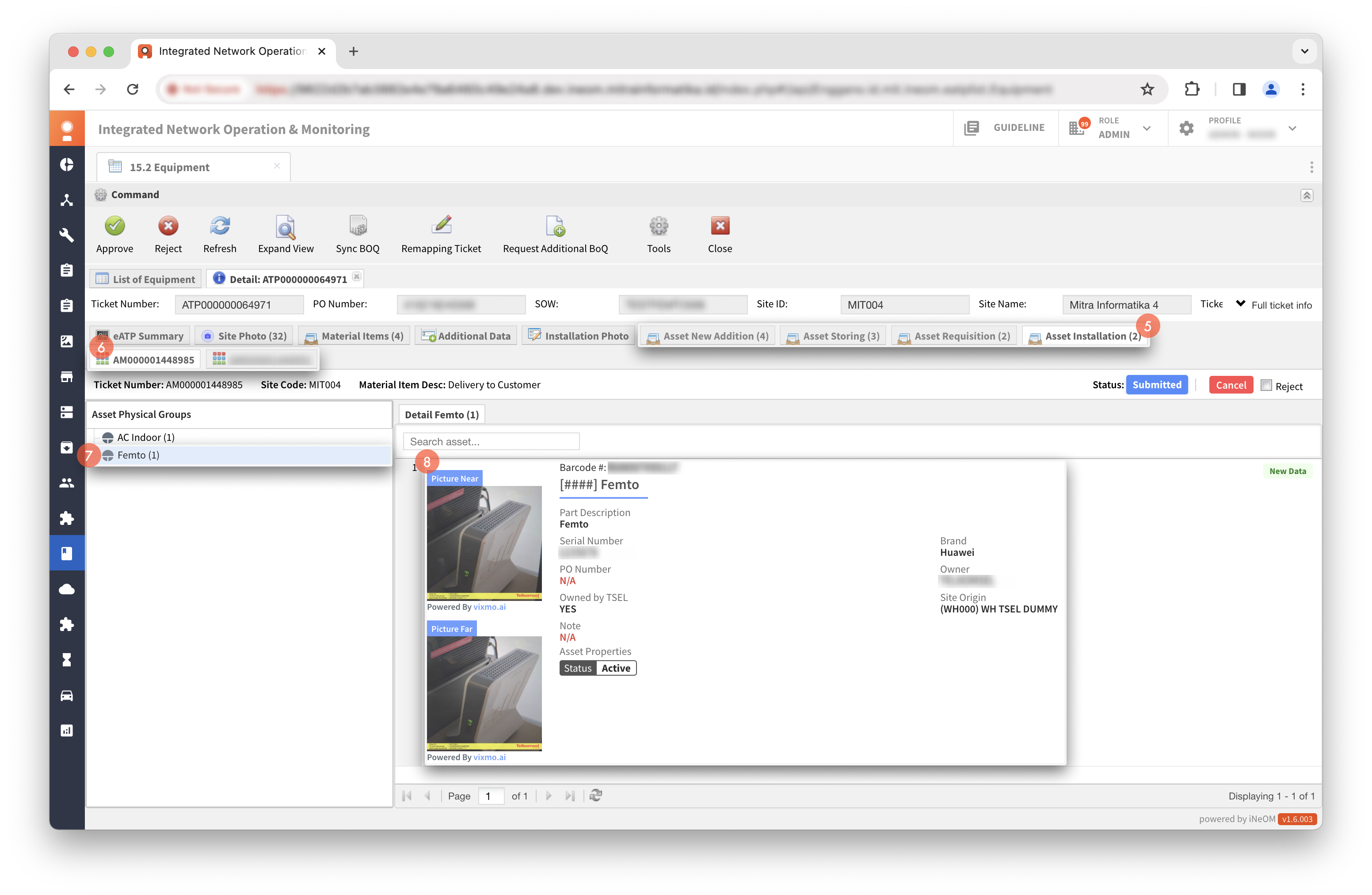
Klik menu `15.2 Equipment` (eATP Features).
{% hint style="warning" %}
Approval ticket ATP dilakukan pada tiket dengan status **Waiting Vendor Approval**.
{% endhint %}
Cari ticket number.
Klik tiket ATP.
Klik `Detail`.
Cek detail tiket ATP dan semua related ticket AM.
{% tabs %}
{% tab title="Approve" %}
Klik `Approve`.
Isi data pada dialog BA Signature.
{% hint style="info" %}
Data yang diisi:
* Nama dan role dari pihak Telkomsel
* Nama dan role dari pihak Mitra
* OSS capture pada masing-masing related ticket (opsional)
{% endhint %}
Klik `Submit`.
Isi catatan.
Klik `Submit`.
{% hint style="success" %}
Proses approve ticket ATP berhasil apabila status tiket menjadi **Processing on Scarlett**.
{% endhint %}
{% endtab %}
{% tab title="Reject" %}
Klik `Reject`.
Pilih Change Ticket Status: Reassign Work.
Pilih related ticket AM yang akan dilakukan reject.
Isi catatan.
Klik `Reject Ticket`.
{% hint style="success" %}
Proses reject ticket ATP berhasil apabila status tiket menjadi **Reassign Work**.
{% endhint %}
{% endtab %}
{% endtabs %}


%20%2301.png?alt=media&token=0f697a75-e525-43da-a3a0-34d429f10710)
%20%2302.png?alt=media&token=ae6d863f-ef50-4a6c-9c12-c5bdb0daa5ce)
%20%2303.png?alt=media&token=eccc23fe-8716-4805-8453-6eaa36388a6f)
%20%2304.png?alt=media&token=66c845a2-f8da-4eb9-bda5-4903299837cd)
%20%2301.png?alt=media&token=cb1a1f01-01ad-4bb8-b8b8-1fcb93d9e694)
%20%2302.png?alt=media&token=2f870ba8-e5ec-4531-897e-9946998aab95)
%20%2303.png?alt=media&token=8601fcf5-8579-4921-a97f-e46d010a046d)
%20%2304.png?alt=media&token=a1cceb62-c1dd-4234-ad61-59e8641ff3a5)