> For the complete documentation index, see [llms.txt](https://docs.ineom-tsel.mit.id/llms.txt). Markdown versions of documentation pages are available by appending `.md` to page URLs; this page is available as [Markdown](https://docs.ineom-tsel.mit.id/amesty/asset-new-addition/ttc/approval.md).
# Approval
Proses approval Asset New Addition:
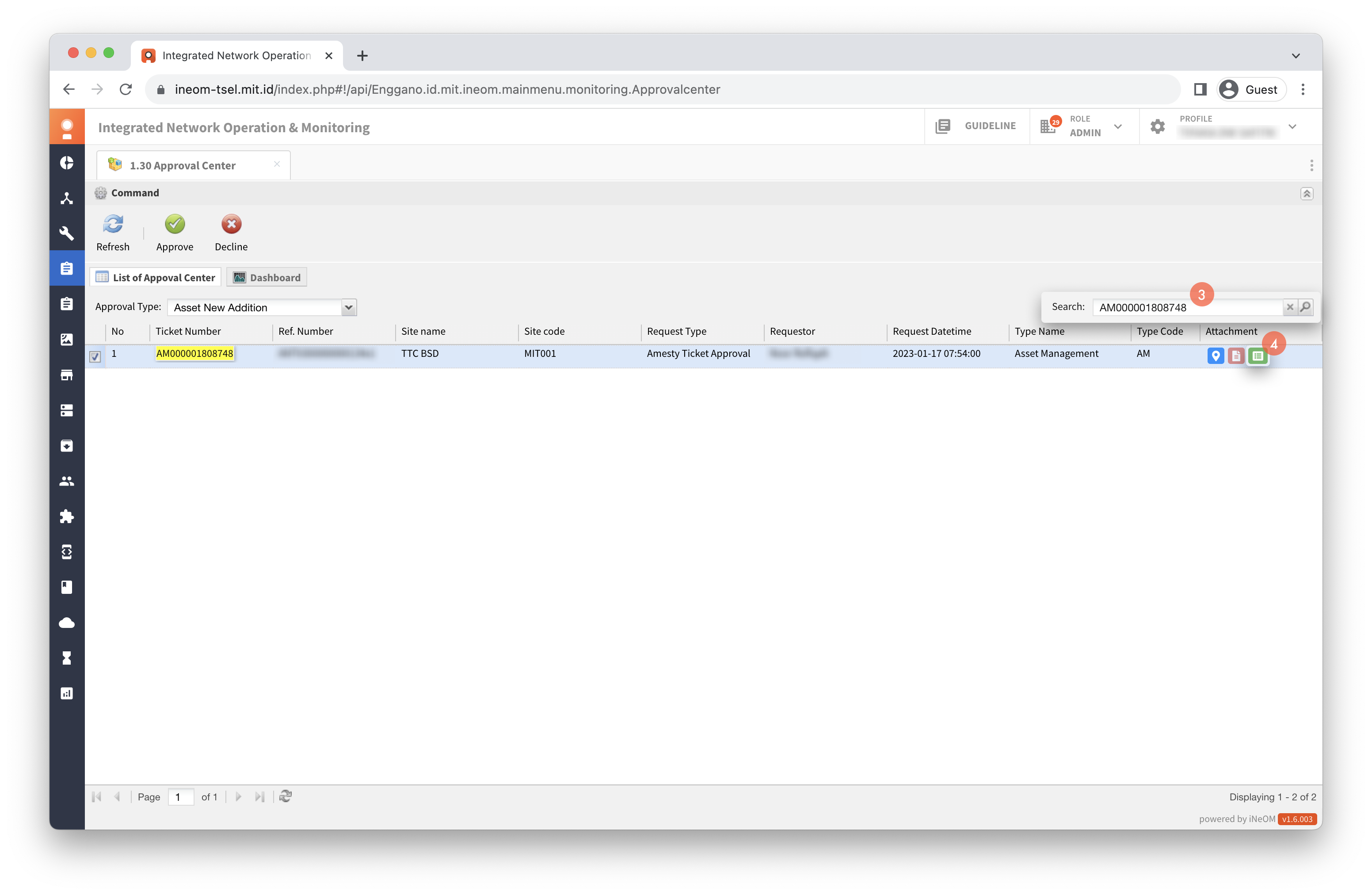
1. Klik menu `1.30 Approval Center` (Amesty Features).
2. Pilih Approval Type: Asset New Addition.
{% hint style="warning" %}
Approval tiket asset new addition dilakukan pada tiket dengan status **Resolved**.
{% endhint %}
3. Cari ticket number.
4. Klik ikon Detail.
5. Pilih lokasi asset.
6. Klik check box pada asset.
7. Cek data asset.
{% hint style="success" %}
Proses approve berhasil apabila status tiket menjadi **Closed**.
{% endhint %}
{% endtab %}
{% tab title="Reject" %}
## Reject
1. Klik `Reject`.
2. Isi catatan dengan alasan melakukan reject ticket.
3. Klik `Reject`.
{% hint style="success" %}
Proses reject berhasil apabila status tiket menjadi **Assigned**.
{% endhint %}
{% endtab %}
{% endtabs %}


.png?alt=media&token=64c22aba-f70c-4cf3-a5e4-5733c81f80ee)
.png?alt=media&token=000f23f2-b80a-4c1a-bbfc-f032de634b38)
.png?alt=media&token=c61e91e0-b1aa-45bd-acf8-b33efeb7544e)
.png?alt=media&token=ad560828-7c6f-4d13-88aa-a12eff20ac73)
.png?alt=media&token=b4ca3fee-fe79-4b49-8fb0-def47756d195)