> For the complete documentation index, see [llms.txt](https://docs.ineom-tsel.mit.id/llms.txt). Markdown versions of documentation pages are available by appending `.md` to page URLs; this page is available as [Markdown](https://docs.ineom-tsel.mit.id/amesty/asset-disposal/ttc/confirm-finish.md).
# Confirm Finish
{% hint style="warning" %}
Confirm finish oleh PCAA dilakukan pada tiket dengan status **Waiting PCAA Approval**.
{% endhint %}
Klik menu `1.30 Approval Center` (Amesty Features).
Pilih Approval Type: Asset Disposal.
Cari ticket number.
Klik ikon Detail.
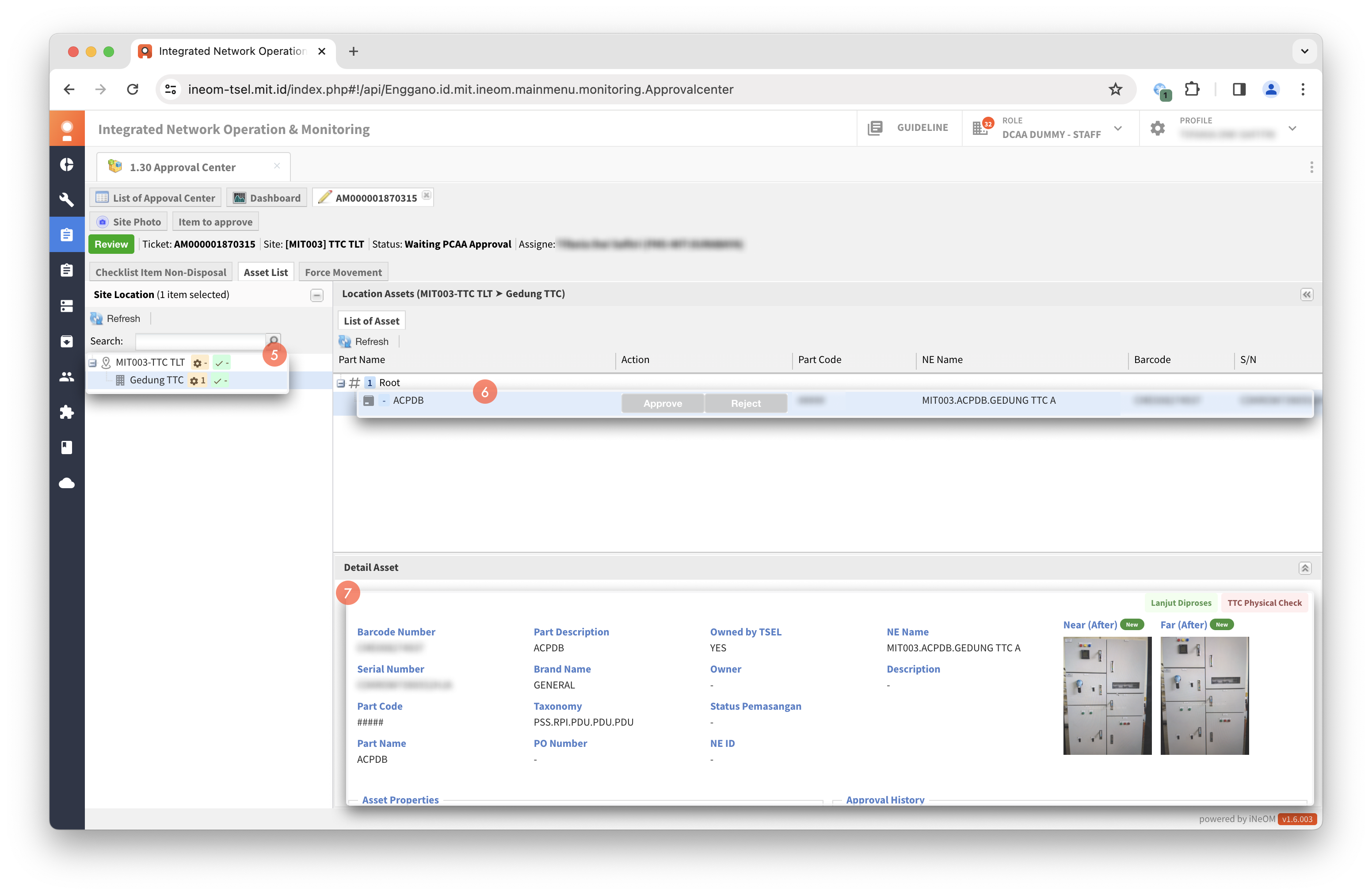
Pilih lokasi asset.
Pilih asset.
Cek detail asset.
{% hint style="success" %}
Proses approve confirm finish oleh PCAA berhasil apabila status tiket menjadi **Closed**.
{% endhint %}
{% endtab %}
{% tab title="Reject" %}
Klik action `Reject` pada asset.
Isi catatan.
Klik `Submit`.
Klik `Review`.
Pilih ticket status: In Progress atau In Progress Dismantle Asset.
Klik `Reject`.
{% hint style="success" %}
Proses reject confirm finish oleh PCAA berhasil apabila status tiket menjadi **In Progress** atau **In Progress Dismantle Asset**.
{% endhint %}
{% endtab %}
{% endtabs %}


%2001.png?alt=media&token=75d2dc51-08e1-41e4-a702-fdbc95fbc3f7)
%2002.png?alt=media&token=a6fbba34-4d8a-4751-9b01-e7dc31e99cd7)
%2003.png?alt=media&token=df6fa7a0-a5dd-4d39-ab25-4ff162d50b72)
%2004.png?alt=media&token=f410c3a5-0de4-4556-b09f-75c9729fa585)
%2001.png?alt=media&token=67f35343-7166-4465-88a2-707e32ceb28d)
%2002.png?alt=media&token=68405365-8924-4a41-831d-c4eb69227c5f)
%2003.png?alt=media&token=5ccc8e09-01bd-427b-929a-0179eca81e70)
%2004.png?alt=media&token=53057896-993f-42a4-8d38-eac8a1527766)