> For the complete documentation index, see [llms.txt](https://docs.ineom-tsel.mit.id/llms.txt). Markdown versions of documentation pages are available by appending `.md` to page URLs; this page is available as [Markdown](https://docs.ineom-tsel.mit.id/amesty/asset-configuration-change/ttc/move-asset.md).

# Move Asset

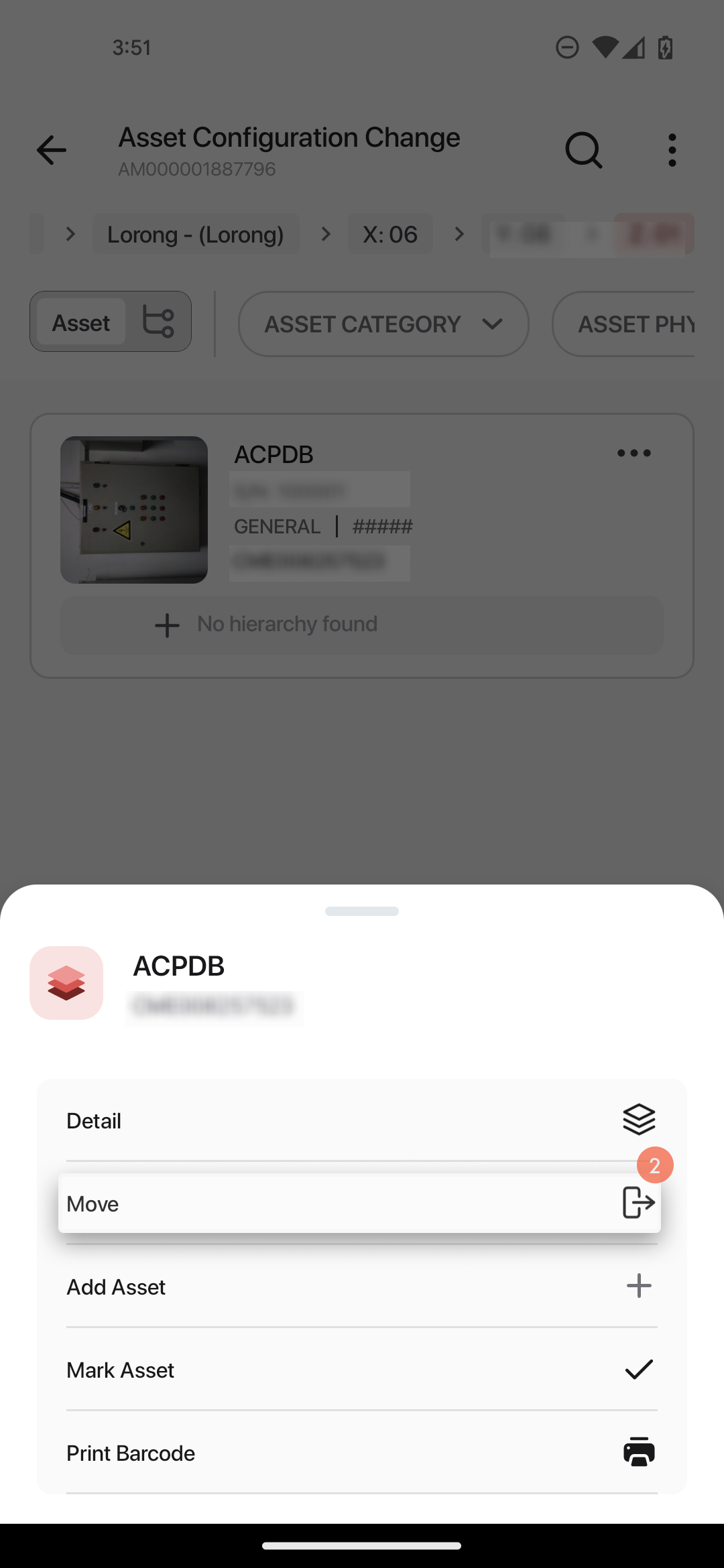
Proses move asset:

1. Klik menu option pada asset.
2. Klik `Move`.

<div><figure><img src="/files/6oiMJiAZcpYJmJwjYvJc" alt="" width="188"><figcaption></figcaption></figure> <figure><img src="/files/io8HgEXCropitqw1wEIj" alt="" width="188"><figcaption></figcaption></figure></div>

3. Pilih building.&#x20;
4. Pilih floor.
5. Pilih room.
6. Pilih racking X.
7. Pilih racking Y.
8. Klik check box untuk memilih lokasi di racking Z.
9. Klik `Confirm`.

<div><figure><img src="/files/QwNA41MPUbPGiiIBNxZX" alt=""><figcaption></figcaption></figure> <figure><img src="/files/EJKwJHvMjsBUdMSrzvRZ" alt=""><figcaption></figcaption></figure> <figure><img src="/files/AQCkQrekjjKZtRaa92lB" alt=""><figcaption></figcaption></figure> <figure><img src="/files/mZr1RKaCdwSX4QuLxAVj" alt=""><figcaption></figcaption></figure> <figure><img src="/files/DooyvjVqAxiTotylYfbV" alt=""><figcaption></figcaption></figure> <figure><img src="/files/3WtLULzzuGRVm2Dki3iO" alt=""><figcaption></figcaption></figure></div>

10. Isi catatan.
11. Klik `Proceed`.

<div><figure><img src="/files/9ExUKBmvXlc9dXoT0ulg" alt="" width="188"><figcaption></figcaption></figure> <figure><img src="/files/xi0Sbfq2x4SzdkXXp8qv" alt="" width="188"><figcaption></figcaption></figure></div>